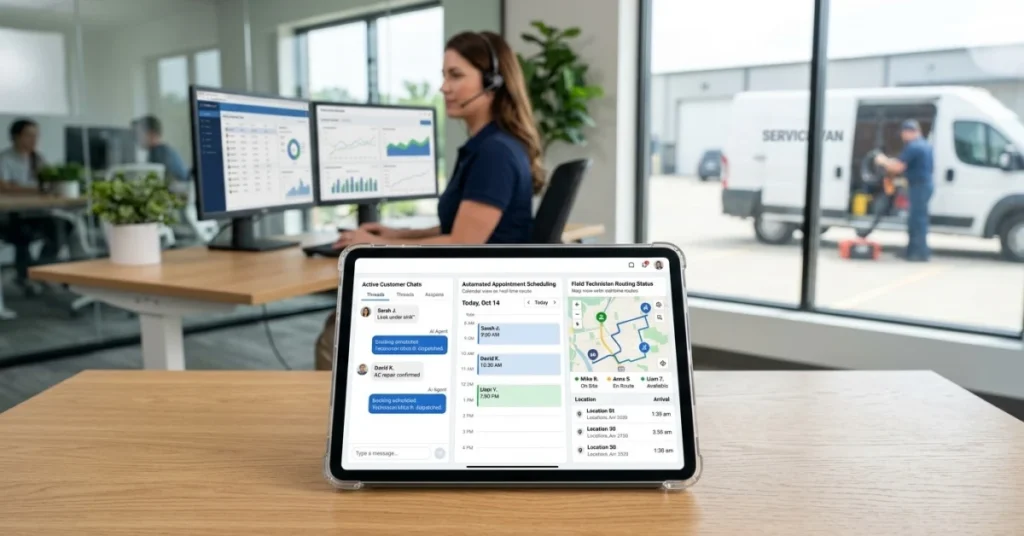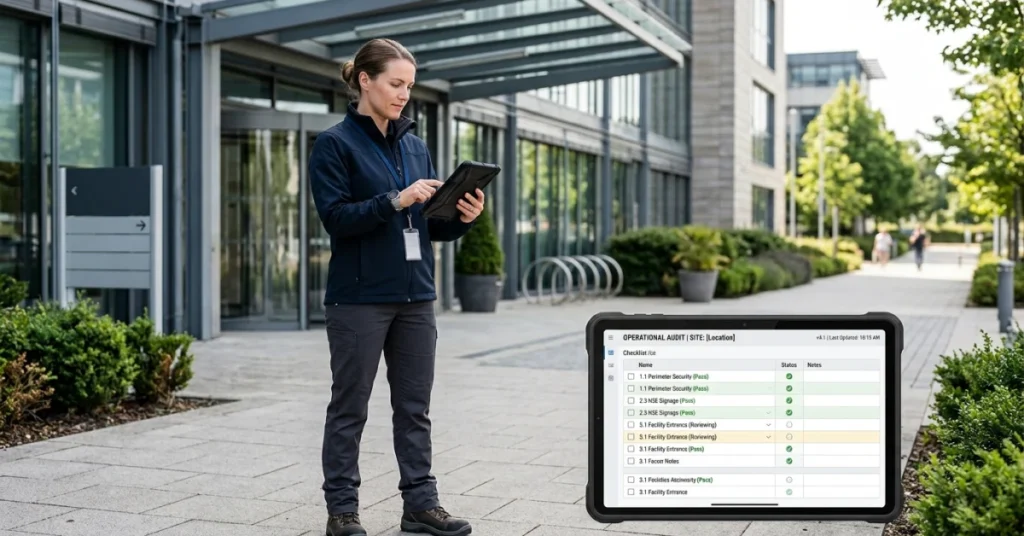



The field service management market is booming. According to Mordor Intelligence, the global field service management market was valued at USD 6.26 billion in 2026 and is projected to reach USD 9.87 billion by 2031, growing at a 9.54 % compound annual growth rate (CAGR). This growth is driven by enterprises’ pivot toward real‑time technician visibility, technician automation and cloud‑native architectures that harmonize front‑office and operational‑technology data. Industries ranging from utilities to telecom and facilities management are investing in tools that optimize scheduling, improve first‑time fix rates and connect mobile workers.
Despite rapid growth, many organizations still rely on spreadsheets, paper job sheets and siloed systems to manage their field teams. Such manual processes cause scheduling conflicts, missed appointments and limited visibility into workforce productivity. Field team management software centralizes operations—bringing scheduling, dispatch, task management, communication and reporting into a single system. This article reviews the best field team management software based on real field needs, usability and long‑term scalability.
Why Your Field Operations Need Team Management Software
Organizations with mobile workforces increasingly rely on software to stay efficient, competitive and scalable. Reasons to invest include:
- Manual tools cause inefficiencies. Paper job sheets and spreadsheets lead to scheduling issues, incomplete documentation and lost data. Real‑time access to job information ensures tasks are completed correctly.
- Centralized systems improve visibility and control. A unified platform provides real‑time views of job status, worker location and task completion across all sites.
- Real‑time tools reduce idle time. Mobile apps with GPS tracking, automated scheduling and digital forms allow dispatchers to allocate jobs quickly and update schedules based on availability and location.
- Regulatory compliance and safety. Digital forms and workflows help ensure field teams adhere to standards and capture evidence (photos, signatures) for auditing.
- Data‑driven insights increase productivity. Dashboards and reporting tools provide insights into workforce performance, enabling managers to optimize resources and improve first‑time fix rates.
What These Field Team Management Solutions Have in Common
Field team management software varies by target industry and feature depth, yet the solutions in this guide share core capabilities that support efficient field operations at scale—from job creation to invoicing and reporting. These platforms were selected because they:
- Replace manual tools. They digitize job sheets, checklists and forms, ensuring consistent data capture and storage.
- Centralize scheduling and dispatch. Managers can assign jobs, optimize routes and update schedules dynamically based on availability and location.
- Connect office staff and mobile workers. Mobile apps allow field teams to access job details, capture data and complete work online or offline, while managers monitor progress through a web dashboard.
- Support workflow automation and task management. Automated workflows send notifications, collect approvals and reduce administrative burden.
- Improve operational visibility. Real‑time tracking and reporting highlight workforce activity, productivity and service quality across all locations.
Together, these capabilities replace fragmented tools with a single operational system. This shared foundation helps field‑service organizations handle more jobs, manage larger teams and scale operations without added complexity.

Top Field Team Management Software Solutions
Below we highlight leading field team management platforms built for modern mobile workforce operations. The following solutions combine scheduling, job management, task execution, reporting and customer interactions to help organizations coordinate field teams and scale efficiently.
1. FieldPie
The Best Field Team Management Software for Operational Execution at Any Scale
FieldPie FieldPie is a modern field execution platform built for real field service work. It supports both small crews and large, multi-team operations—without forcing businesses to choose between ease of use and advanced capability.
Instead of juggling multiple tools, FieldPie brings scheduling, field execution, forms, reporting, customer data, GPS tracking, and service history into one unified system. Teams get up and running fast; managers get real-time control as operations grow.
FieldPie works as a standalone platform or integrates with your existing tools—fitting both simple setups and mature operations.
Core capabilities include:
- End-to-end field execution — schedule jobs, manage visits, and handle work orders in one continuous flow
- Smart scheduling & routing — mobile-first workflows that keep crews moving efficiently
- Offline-ready operations — capture data, photos, signatures, and forms without signal; syncs automatically when back online
- Custom forms & inspections — fully configurable for service-specific workflows
- Real-time visibility — live job progress, locations, and field performance at a glance
- Flexible roles & permissions — tailored access for crews, supervisors, and managers
- Scalable reporting — clear operational insights without enterprise-level complexity
Where FieldPie stands out: FieldPie is built as a long-term platform, not a stopgap tool. It scales naturally with your business—whether you run a two-person crew or a large distributed team—without constant tool changes or hidden complexity.
Things to consider: FieldPie prioritizes deep operational execution over niche add-ons, which often eliminates the need for multiple separate systems.
2. Jobber
Jobber is a field service management platform used by home service businesses across industries such as landscaping, cleaning, plumbing, and HVAC.
It provides tools for managing the core operational workflow — from quoting through to payment — within a single system accessible from desktop and mobile.
Core capabilities include:
- Job scheduling and dispatching with a drag-and-drop calendar
- Quoting and estimate creation with online approval
- Invoicing and payment collection
- Customer relationship management with job and communication history
- Route optimization for field teams
- QuickBooks integration
- AI-assisted pricing and upsell tools
Where Jobber stands out: Jobber is primarily designed for small to mid-sized home service businesses and is recognized for its relatively short onboarding time.
Things to consider: Teams with more complex operational structures or advanced workflow requirements may find certain areas of the platform limiting as operations grow.
3. ServiceTitan
ServiceTitan is a field service management platform used primarily by larger home service businesses, covering both field operations and back-office functions within a single system.
Core capabilities include:
- Job scheduling and technician dispatch
- Invoicing, payment processing, and QuickBooks integration
- Customer communication and automated notifications
- Mobile app for field technicians
- Marketing and lead management tools
- Reporting and business performance dashboards
Where ServiceTitan stands out: ServiceTitan covers a wide range of operational and administrative functions, making it a common choice for businesses looking to consolidate multiple systems.
Things to consider: The platform is designed for larger, established operations. Smaller teams often report that the pricing, implementation timeline, and learning curve require a significant upfront commitment before the platform becomes fully operational.
4. Service Fusion
Service Fusion is a cloud-based field service management platform targeting small to mid-sized contractors in industries such as HVAC, plumbing, and electrical services.
Core capabilities include:
- Job scheduling and dispatching
- Estimate and invoice generation
- Customer relationship management with service history
- Optional GPS fleet tracking
- Integrated VoIP for call tracking
- QuickBooks integration
Where Service Fusion stands out: Service Fusion offers unlimited user pricing across its plans, which can reduce per-seat cost concerns for growing teams.
Things to consider: Some administrative functions require the desktop version rather than the mobile app. Users have noted that the interface is less modern compared to newer platforms, and offline mobile access is limited.
5. FieldPulse
FieldPulse is a field service management platform for service contractors, covering scheduling, customer management, invoicing, and workflow configuration in a single system.
Core capabilities include:
- Scheduling and dispatching with map-based and drag-and-drop views
- Estimates, invoices, and proposals with e-signature support
- CRM with full customer and job history
- Time tracking and GPS-tagged timesheet entries
- Custom forms, pricebooks, and workflow configurations
- Customer booking portal and maintenance agreement management
- Integrations with QuickBooks, Xero, and supplier networks
Where FieldPulse stands out: FieldPulse offers a relatively broad feature set within its pricing tier, with configurable workflows that can be adjusted to different business models.
Things to consider: Some users report inconsistencies with QuickBooks Desktop syncing. Certain workflow structures — such as managing multiple visits within a single job — may not align with every team’s operational preferences.
Your Strategic Roadmap: How to Choose the Right Field Team Management Software
Choosing the right field‑service platform starts with understanding your operations, growth goals and daily field needs. As your mobile workforce scales, visibility into job status, scheduling, technician performance and compliance becomes as important as core operations. Consider the following when evaluating solutions:
- Define core requirements. Assess your job volume, number of locations and complexity of tasks. Determine whether you need advanced routing, integrated invoicing or custom forms.
- Prioritize ease of use. Opt for intuitive software with a user‑friendly interface to ensure quick adoption by field staff and office managers.
- Ensure scalability. Choose a platform that can handle increased job volume, additional teams and new geographic regions as your business grows.
- Consider support & onboarding. Strong onboarding, documentation and responsive customer support are critical for a successful implementation and continued success.
Must‑Have Features for Field Team Management Software
Based on market trends and real‑world field operations, essential features include:
- Scheduling & dispatch. Efficiently assign jobs and optimize routes based on location, skills and availability.
- Mobile app with offline capability. Allow technicians to access job details, capture data and complete tasks without relying on connectivity.
- Digital forms & evidence capture. Replace paper processes with mobile forms to capture signatures, photos and compliance data on-site.
- Real‑time visibility & tracking. Monitor workforce activity and job progress to improve coordination and decision‑making.
- Automation & workflow management. Automate task steps, notifications and approvals to reduce administrative burden.
- Reporting & analytics. Gain data‑driven insights into technician performance, service quality and resource utilization.

How to Choose the Right Field Team Management Software
Selecting field team management software requires a strategic approach focused on long‑term fit rather than just a feature checklist. Beyond basic features, consider:
- Vertical specialization vs. general purpose. Some solutions focus on specific industries (e.g., utilities, lawn care), while others offer general field‑service functions. Ensure the platform meets your unique operational needs.
- Cost vs. value. Consider subscription pricing, implementation costs and potential to replace multiple legacy tools.
- Vendor stability and innovation. Evaluate the vendor’s track record, roadmap and ability to innovate (e.g., AI scheduling, IoT integrations).
- Change management. Invest time in training and change management to ensure staff adopt new processes successfully.
Conclusion: Choosing Field Team Management Software
The right field team management software should support how your technicians work today and continue to scale with you tomorrow. While all tools on this list cover core job scheduling and dispatch needs, FieldPie stands out by combining powerful operational execution with an intuitive interface and comprehensive features—working just as well for small teams as for large, multi‑region operations. Its unified platform for scheduling, job management, custom forms, offline operations, roles and reporting reduces reliance on multiple systems and positions organizations for long‑term success.
See it in action. Schedule a FieldPie demo to explore real‑world job workflows, reporting and field operations in practice.