



✦ Key Takeaways · 6 min read
HVAC software connects scheduling, dispatch, job records, and invoicing so teams can manage service calls with fewer disconnected steps. The right fit depends on your workflows, reporting needs, and total operating cost.
→ Wrong software silently drains profit from every job.
→ Scheduling, invoicing, and dispatch must work as one system.
→ Switching platforms mid-growth costs far more than starting right.
In this article:
Running an HVAC Business Without the Right Software
What Features Should You Look for in HVAC Software?
Best HVAC Software for Small Contractors in 2026
How Much Does HVAC Software Cost Per Month?
How to Choose Between ServiceTitan, Jobber, and Housecall Pro
Conclusion
Key takeaway: Choose HVAC software built for field service or your competitors will outrun you.
Running an HVAC Business Without the Right Software
Most HVAC operators blame slow growth on technician turnover or thin margins. The real bottleneck is often structural: your dispatch, invoicing, and job costing software either supports scale or quietly blocks it. Choosing the wrong platform caps how much revenue your business can produce.
Say your team runs 12 techs across two service zones. Without HVAC field service software built for that complexity, dispatchers fill gaps by hand and invoices lag by days. Maintenance agreement renewals slip through because no one owns the follow-up, and those are workflow problems that better HVAC business profitability tools solve directly.
Knowing which features actually build revenue is the right place to start.
What Features Should You Look for in HVAC Software?
That ceiling gets built one bad feature decision at a time. Most HVAC operators spend hours comparing scheduling dashboards and mobile apps. Then they sign a contract without asking whether the platform supports maintenance agreement automation or real-time job costing. Those two gaps alone can quietly cap your revenue growth more than any staffing shortage ever will.
The features that matter most aren’t the ones with the best demo. Revenue-compounding capabilities like automated service agreement renewals, multi-tech dispatch logic, and job-level profit tracking are what set great platforms apart. The right platform scales with you, the wrong one boxes you in.
Consider a team running 200 service calls a month. Without job costing built into your HVAC field service workflow, you’re guessing which jobs are profitable and which are bleeding margin.
Field Operations vs. Back-Office Tools
Field-facing features like dispatch boards, mobile job cards, and GPS tracking get most of the attention in demos. But back-office capabilities such as financial reporting, customer history, and agreement billing are what investors and acquirers actually scrutinize when they evaluate an HVAC business.
A platform that excels at scheduling but produces weak financial data will slow down every growth decision you make. Choose HVAC business software that treats field ops and back-office reporting as equally critical, not as an afterthought.
Must-Have Integrations Like QuickBooks
Disconnected tools create data gaps that cost real money. QuickBooks integration is the baseline standard for any serious HVAC contractor software. It cuts out double-entry, keeps your books accurate, and makes tax time far less painful.
Beyond accounting, look for integrations with your CRM, parts suppliers, and payment processors before you commit. The right HVAC management software connects your entire operation so data flows without manual work. Your team then spends its time on work that actually generates revenue.
Knowing which features matter is only half the decision. The other half is matching those features to the size and model of your business. That match is exactly what the best HVAC software options for small contractors make surprisingly hard to figure out.
How FieldPie Supports Everyday HVAC Service Operations
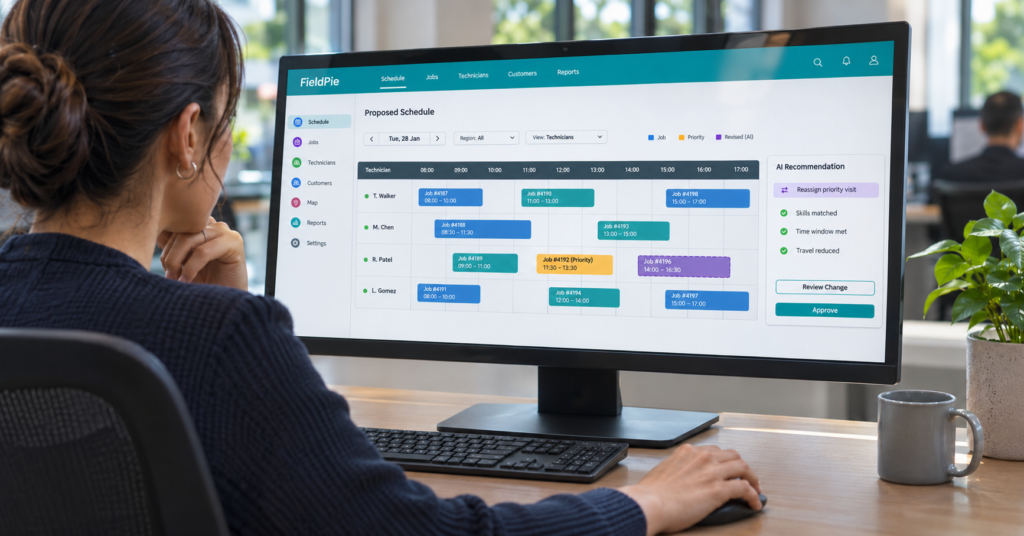
An HVAC service visit involves more than getting a technician to the right address. Office staff need to coordinate the appointment, technicians need access to job details, and completed work needs to be documented for the next step.
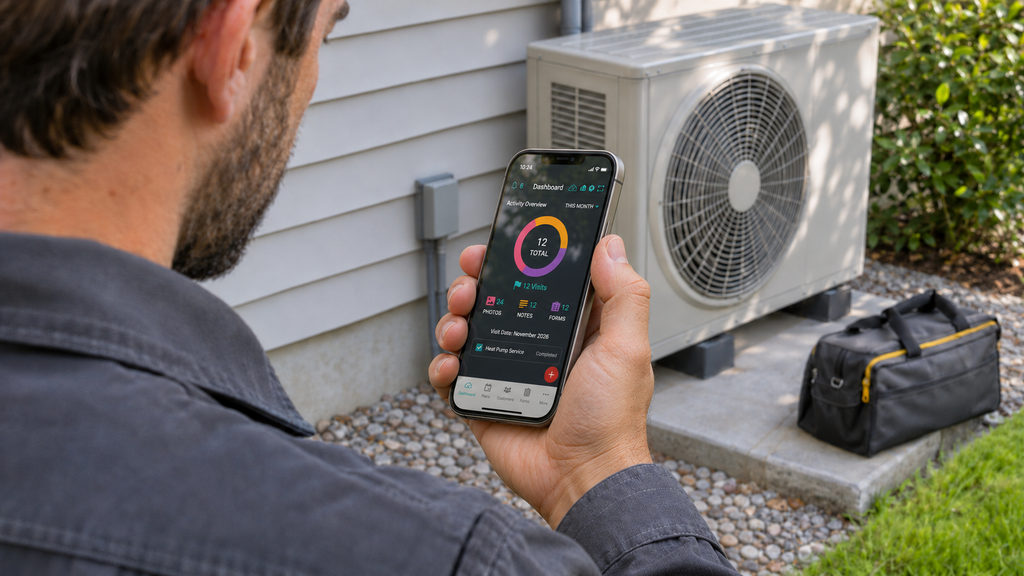
FieldPie’s HVAC software brings scheduling, technician assignments, and mobile job records into one platform. This helps teams keep office coordination and field activity connected as work moves through the day.
From Scheduled Visit to Documented Work
For example, a dispatcher schedules a maintenance visit and assigns a technician. On-site, the technician reviews the job details and records the work completed, including relevant notes and photos. If additional work is needed, the team can use that record to coordinate the follow-up.
Keeping these steps connected can reduce the need to reconstruct a visit from separate messages and incomplete updates. Office staff have a clearer record to review, while technicians can document the job through a mobile workflow.
Keeping Recurring Maintenance Organized
Repeat service adds another scheduling responsibility. Teams need to know which visits are due and how they fit around new bookings.
FieldPie supports recurring jobs and maintenance schedules, helping businesses organize repeat work alongside daily service calls.
To evaluate the fit, bring a typical maintenance job to a demo. Follow it from scheduling and assignment through field documentation and follow-up, and check whether the workflow gives your team the information it needs.
How Much Does HVAC Software Cost Per Month?
Choosing a platform that fits your growth stage is the right instinct, but the monthly price tag rarely tells the full story. Most HVAC software pricing falls into two broad models. Picking the wrong one for your business size can quietly cost you more than the subscription fee.
Say your team runs eight technicians and you’re on a per-seat plan that charges for every user. As you add techs to support a growing recurring maintenance agreement base, your software bill scales faster than your margin does. That’s the structural trap most small contractors don’t see until they’re already in it.
Flat-Rate Pricing vs. Per-Technician Plans
Flat-rate plans charge one fixed monthly fee regardless of how many techs you add, which makes them predictable and easier to budget as you scale. Per-technician plans start cheaper for solo operators or two-person crews, but the cost compounds quickly once you cross five or six field techs.
The real question isn’t which model costs less today. It’s which model stops penalizing you for growing. HVAC field service software that taxes your headcount puts a quiet cap on how fast you can hire and expand service agreements.
That difference is what separates platforms built for small contractors from those built for companies on a growth track. It’s also the right lens to use when you evaluate ServiceTitan, Jobber, and Housecall Pro.
What to Test in an HVAC Software Demo
An HVAC software demo should show how your team handles real work. Bring a typical service call and a recurring maintenance visit, then follow each through the system.
Follow One Service Call From Booking to Completion
Ask the vendor to demonstrate how your dispatcher schedules a visit, assigns a technician, and communicates a change. Then check how the technician accesses job details and records completed work from a mobile device.
With FieldPie’s HVAC software, use the demo to evaluate how scheduling, technician assignments, and mobile job records fit your daily operation.
Check Recurring Maintenance and Follow-Up
Test how a recurring visit is created and rescheduled. If the technician identifies additional work, ask how the office reviews the finding and coordinates the next appointment.
Keep a completed maintenance visit separate from an unresolved repair so outstanding work remains visible.
Verify Reporting, Integrations, and Total Cost
Ask which reports and integrations are included in the proposed package. If you use QuickBooks, confirm which records sync and how the team handles transfer errors.
For job costing, request a demonstration using sample labor and material costs. Check what the resulting margin includes and when the figures update.
Finally, request a written quote covering your expected users, required features, onboarding, and support. Choose based on the workflow your team can use consistently and the full cost of running it.
Book a FieldPie demo to walk through your own service scenarios and evaluate the fit.
Conclusion
That growth-stage framing is the real point here. The wrong HVAC software limits how many maintenance agreements you can sell. It also slows how fast you can dispatch a second crew and makes your financials harder to present to anyone evaluating your business.
Say your team runs fifteen techs today and plans to hit thirty in two years. A platform built for solo operators will force you to rebuild your dispatch logic and your invoicing workflow. Your recurring maintenance agreement setup starts over from scratch too. That rebuild tends to hit right when growth pressure is highest, which is the worst time to deal with it.
Pick your HVAC field service software for where you’re going, not just where you stand. Most HVAC contractors lose recurring revenue because their platform can’t automate agreement renewals or surface real-time job costs at scale. FieldPie fixes that by connecting scheduling, technician tracking, and field operations into one mobile-ready workflow your team actually uses.
FieldPie offers an AI-powered field operations platform. It helps businesses manage scheduling, routing, audits, sales, merchandising, and team tracking from one mobile-friendly tool.