✦ Key Takeaways · 6 min read
Out-of-stocks cost retailers $82 billion in lost revenue in 2021, and promotions are the biggest trigger.
→ Promotions amplify demand faster than supply chains can react.
→ Ordering more stock upfront rarely solves the root problem.
→ Real-time data sharing with suppliers prevents shelves from emptying.
In this article:
Why Promotions Keep Ending in Empty Shelves
What Actually Causes Stockouts During Promotions?
The Myth of “Just Order More” Before a Promotion
How to Prevent Stockouts During a Promotional Event
Turn Stockout Data Into Smarter Future Promotions
Conclusion
Key takeaway: Smart promotion planning starts with inventory strategy, not just marketing.
Why Promotions Keep Ending in Empty Shelves

Why Promotions Keep Ending in Empty Shelves
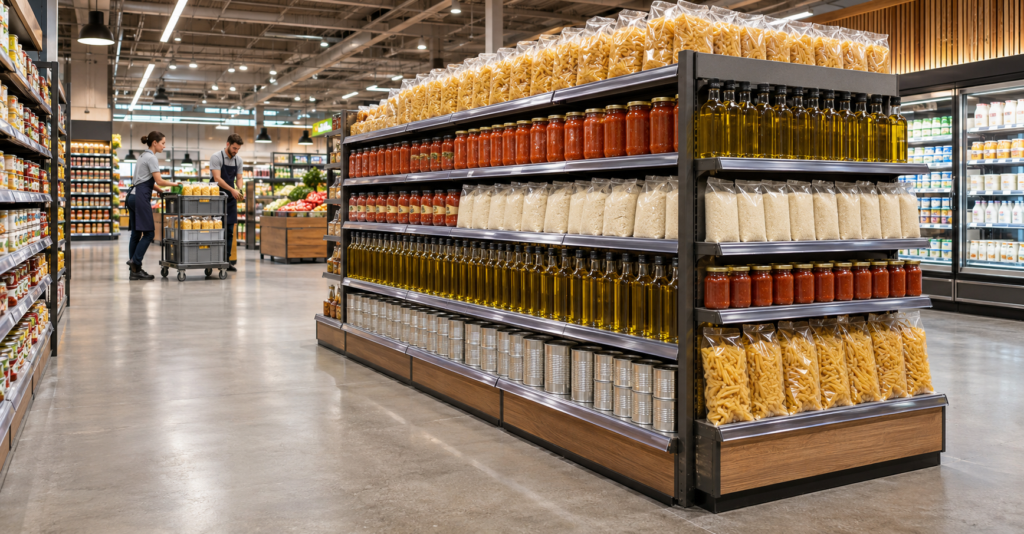
A sale event is one of the few moments a business can see demand coming well in advance. Even so, stockouts during promotions remain one of the most common and costly failures in retail.
In 2021, Gocrisp tracked stockouts at 7.4% of total sales lost for US retailers. A significant share of those losses happened during planned promotions.
That number stings more when you realize a promotion is the most foreseeable demand event a business will ever face. You set the date, you set the discount, and you tell customers exactly what to buy. Running out of stock isn’t a supply chain mystery; it’s a planning failure.
Most teams treat the spike in demand as unpredictable chaos and scramble to fix it after shelves go bare. Understanding the specific reasons that gap opens up is the only way to close it for good.
What Causes Stockouts During Promotions?
| Cause | What to investigate | Action |
|---|---|---|
| Demand exceeds the forecast | Compare the actual offer, store traffic, and sales pace with the assumptions used. | Update the remaining demand estimate and assess replenishment options. |
| Stock is allocated to the wrong locations | Compare each store’s demand, opening stock, and delivery schedule. | Review transfers and future deliveries using store-specific needs. |
| Stock is in the backroom | Confirm the physical quantity and whether replenishment was assigned. | Refill the shelf and schedule the next check. |
| Inventory records are inaccurate | Compare system quantities with shelf and backroom counts. | Investigate the discrepancy and follow the stock adjustment process. |
| Deliveries are late or incomplete | Check confirmed quantities, arrival times, and receiving records. | Escalate the shortfall and revise the store’s plan. |
| The display cannot hold enough stock | Compare shelf capacity with the expected sales pace between replenishment checks. | Increase check frequency or review the approved display setup. |
Record the cause alongside each shelf finding. This gives replenishment teams, inventory planners, and suppliers a clearer next action.
How Much Promotional Stock Should You Order?
Build the order around expected demand, usable inventory, confirmed deliveries, and the uncertainty the business is prepared to cover. Include store capacity, shelf life, supplier constraints, and the options for replenishment during the event.
Promotional demand forecasting combines sales history with factors such as promotions and advertising. Use comparable events, then adjust for differences in discount, duration, assortment, and participating locations. docs.oracle.com
Set Ordering Deadlines From Actual Lead Times
Work backward from the time stock must be ready for sale. Include supplier fulfillment, transport, receiving, store distribution, and display setup. Confirm order cutoffs with the teams responsible for each stage.
Set a separate decision point for additional orders or transfers during the campaign. The timing should reflect whether stock can reach the affected stores while the promotion is still running.
5 Steps to Prevent Stockouts During Promotions
1. Build a Shared Promotion Brief
Give marketing, inventory, suppliers, and store teams the same campaign details. Include SKUs, offer mechanics, dates, participating locations, display requirements, and named contacts.
When the offer or store list changes, update the brief and ask the responsible teams to review the impact on stock and delivery requirements.
2. Forecast Demand by SKU and Store
Use comparable promotions to estimate demand for each participating location. Account for differences in trading patterns, offer strength, and campaign duration.
Check whether the historical event ran out of stock. Recorded sales during a shortage can understate demand. Oracle’s forecasting documentation describes adjustments for sales constrained by stockouts, which help prevent those periods from distorting future forecasts.
3. Allocate Stock and Confirm Launch Readiness
Allocate stock using expected store demand, available capacity, and delivery schedules. Before launch, confirm that stock has arrived, receiving is complete, and products are on the intended shelves or displays.
Use a store readiness check to record missing deliveries, incomplete displays, and unavailable SKUs. Assign an owner and deadline to each exception.
4. Check Shelves and Trigger Replenishment
Schedule checks around expected demand peaks and the display’s capacity. Combine sales and inventory signals with physical shelf checks. Shelf-level availability monitoring can reveal issues that inventory-based in-stock measures miss.
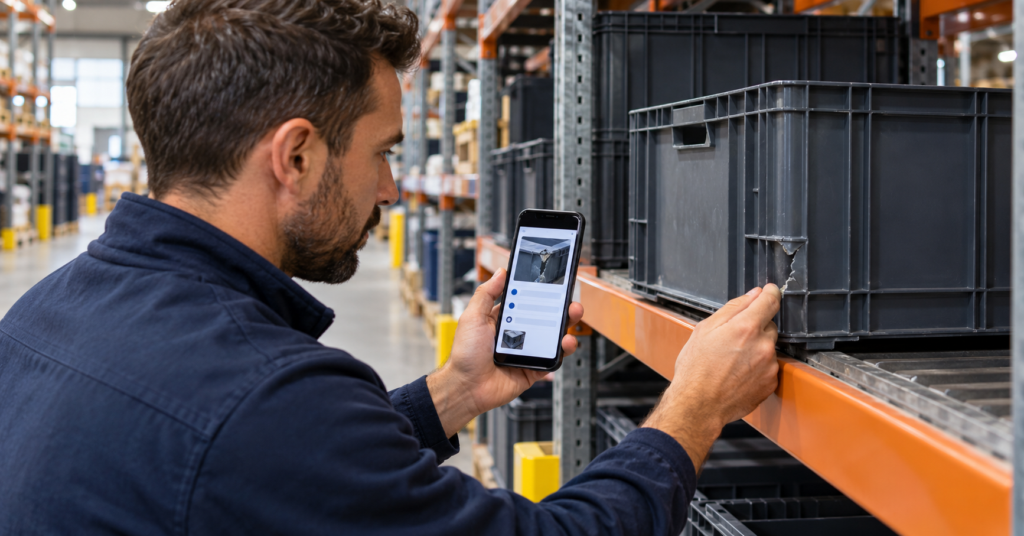
When a rep finds a gap, record the SKU, store, time, photo, and backroom stock status. Use FieldPie’s merchandising workflows to organize store visits and capture field observations.
5. Assign the Response and Verify the Shelf
Route the issue according to its cause. Backroom stock needs replenishment, an inventory discrepancy needs investigation, and a supply shortage needs escalation to the planning team.
Give the action an owner and a due date. Confirm that the product is available on the shelf after the intervention. Connect the original finding and closure evidence through an audit follow-up workflow.
Turn Stockout Data Into Smarter Future Promotions
That hourly sales pace is only useful if you save it. Every promotion you run leaves behind a trail of data that tells you exactly where your inventory plan broke down and why.
Most teams debrief a stockout with a shrug and move on. The smarter move is to treat every out-of-stock (OOS) event as a data point, not a disaster. Each one tells you something specific: which product sold faster than expected, at what hour demand peaked, and where your supplier coordination failed.
Say your team ran a weekend flash sale and sold out of your top item by noon on Saturday. That single event tells you your opening stock was too low, your reorder trigger was too slow, and your demand forecast didn’t account for the first-day rush. Write that down before the next promotion starts.
What to Capture After Every Promotion
Review these five things in order:
Sell-through rate by SKU: Which items sold out, which sat, and how fast each moved at its promoted price.
Peak demand hour: Note the exact window when sales spiked. Most promotions follow a predictable early rush.
First stockout time: Record when the first item hit zero. That gap between launch and stockout is your planning shortfall.
Supplier response time: How long did it take to get an emergency restock? That lag is your minimum buffer window for next time.
Lost demand signals: Check cart abandonment, search spikes, or customer complaints. These show demand that existed but couldn’t be fulfilled.
How Past Data Improves Future Stockout Prevention Strategies
Each promotion you document makes the next one easier to plan. Here’s how the data maps to specific decisions:
|
Data Point Captured |
What It Tells You |
How to Use It Next Time |
Impact on OOS Risk |
|---|---|---|---|
|
Sell-through rate by SKU |
Which products drive the most demand at a discount |
Stock high-velocity SKUs at two to three times your normal level |
High reduction |
|
Peak demand hour |
When your store or site gets hit hardest |
Schedule staff and restock checks before that window opens |
Medium reduction |
|
First stockout time |
Your real planning shortfall in hours |
Add that many hours of buffer stock to your opening inventory |
High reduction |
|
Supplier response time |
Your minimum reorder lead time under pressure |
Set reorder triggers earlier so restocks arrive before shelves empty |
High reduction |
|
Lost demand signals |
Revenue you left on the table due to empty shelves |
Use as the business case to justify higher pre-promotion stock budgets |
Medium reduction |
The table above shows that preventing out-of-stock during promotions isn’t about guessing better. It’s about building a feedback loop where each promotion teaches you something concrete you can act on before the next one starts.
Build a Simple Promotion Log
You don’t need expensive software to start. A shared spreadsheet with one row per promotion works fine. Capture the date, the promoted SKUs, opening stock levels, first stockout time, and supplier lead time.
Review it every time you plan a new event. After three or four promotions, patterns emerge fast. You’ll see that certain product categories always sell out in the first two hours, or that one supplier consistently takes longer to restock than others.
That pattern is your demand forecast for promotions, built from your own real data.
This is where retail supplier collaboration tools make a real difference. FieldPie’s merchandising and audit features let field teams log shelf conditions and flag low stock in real time, so your promotion log captures what actually happened on the floor, not just what the system recorded at the register.
“A promotion is the most foreseeable demand event your business will ever face. Every stockout you log is proof that the forecast was fixable, not that the outcome was inevitable.”
Inventory management during promotions gets sharper every time you treat a past OOS event as a lesson instead of a loss. The data is already there after every sale. Most businesses just never look at it twice.
Once you’ve built this loop, the only question left is what one action you take today to make sure the next promotion never runs dry again.
Conclusion
That stockout data you just captured isn’t a postmortem report. It’s your competitive edge for the next promotion. Preventing out-of-stock during promotions stops being a guessing game once you treat each promotion as a foreseeable, data-rich event you planned for.
Say your team ran a weekend flash sale and tracked hourly sell-through rates by SKU. That record alone gives you a sharper demand forecast than any industry average ever could.
The core insight this article keeps returning to is simple: stockout prevention strategies work best when they start with a forecast. A bulk order alone won’t cut it. Dig into out-of-stock root causes before your next promotion. You’ll find the fix is almost always upstream in planning, not on the shelf. Inventory management during promotions isn’t about ordering more. It’s about ordering smarter, earlier, and with real sales data behind every decision.
Out-of-stock (OOS) events during promotions cost you sales, customer trust, and the momentum a promotion is supposed to build. FieldPie’s real-time merchandising and audit tools let field teams flag low-stock conditions the moment they appear on the shelf. Your team can respond in hours, not days.
FieldPie offers an AI-powered field operations platform. It helps businesses manage scheduling, routing, audits, sales, merchandising, and team tracking from one mobile-friendly tool.