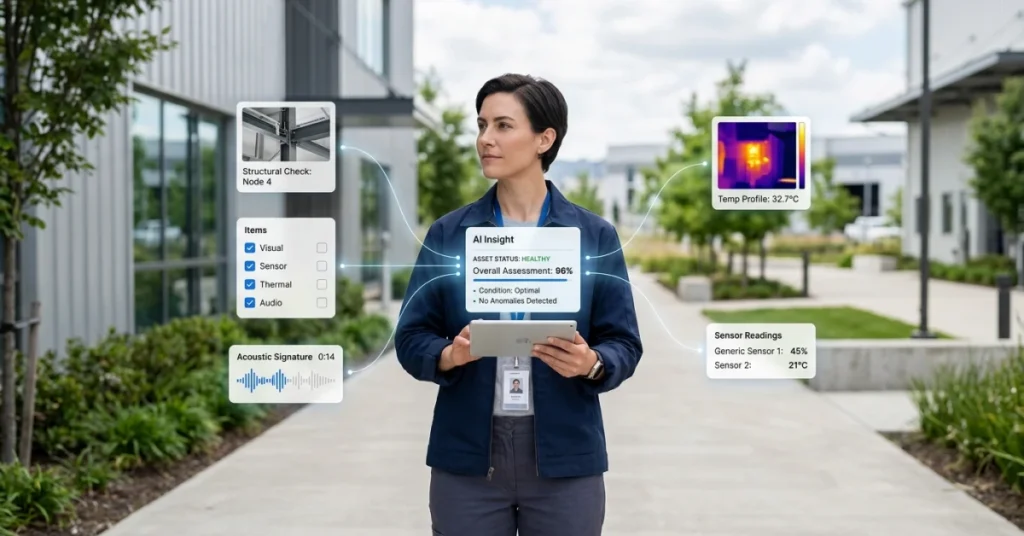
Multimodal AI inspections combine different types of evidence, such as images, audio, sensor readings, and text, to support inspection decisions. Instead of evaluating a photograph alone, a system can consider what the equipment looks like alongside its operating conditions and inspection history.
The value comes from choosing inputs that help identify specific failure modes. More data does not automatically produce a better inspection: the evidence must be relevant, correctly linked, and validated against real operating conditions.
This guide explains how multimodal inspections work, which data types to combine, and how to evaluate results before expanding deployment.
Key Takeaways
- Multimodal inspection uses more than one type of input to support analysis.
- Select evidence around the failure modes you need to detect.
- Link observations to the correct asset, time, and operating conditions.
- Keep AI findings, rule-based checks, and final approval decisions distinct.
- Evaluate missed defects, false alarms, and review effort against a defined baseline.
- Route uncertain findings and incomplete evidence for appropriate review.
In This Article
- What Are Multimodal AI Inspections?
- How Multimodal AI Inspections Work in Practice
- What Inspection Data Should Be Combined?
- How to Validate a Multimodal Inspection System
- Common Implementation Mistakes
- Conclusion
What Are Multimodal AI Inspections?
Multimodal AI inspections use two or more types of input to help assess equipment, products, or site conditions.
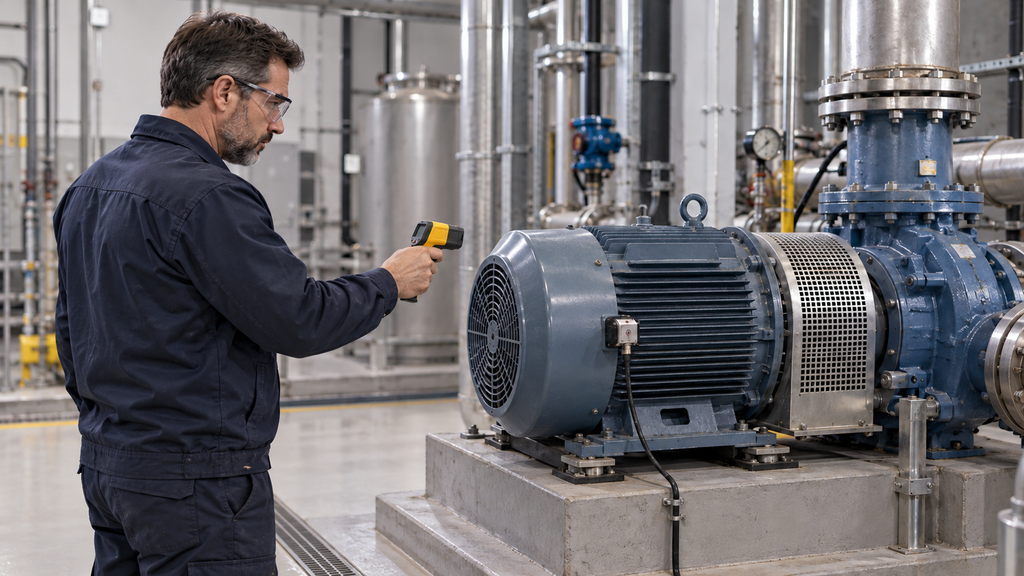
For example, an inspection might combine a photograph of a motor, a temperature reading, and a technician’s notes about unusual noise. Each input adds information that the others may not capture.
However, storing these records together is not necessarily multimodal AI. The analysis must actually use information from different input types, whether through a shared model or a coordinated pipeline.
How Multimodal AI Differs from Visual Inspection AI
Visual inspection AI analyzes images or video. It can help identify visible conditions such as surface damage, missing components, or incorrect placement.
Multimodal analysis adds other evidence. Sensor readings can provide operating context, while text can explain the inspection scope or a previously reported issue.
| Approach | Example Inputs | Main Evaluation Question |
|---|---|---|
| Visual inspection AI | Photos or video | Can the system identify the relevant visible condition? |
| Sensor-based analysis | Temperature, pressure, or vibration | Can the system identify a meaningful deviation under these operating conditions? |
| Multimodal AI inspection | Images combined with sensor data or text | Does combining the inputs improve the inspection decision? |
A multimodal system is not automatically superior. If the target defect is clearly visible and additional inputs add little useful information, a simpler approach may be sufficient.
Why Data Selection Matters
Start with the condition you need to identify, then choose evidence that can reveal it.
For a suspected overheating issue, useful inputs might include thermal evidence, equipment load, and historical readings. For a missing safety label, a clear photograph and the applicable inspection requirement may be enough.
Research on the TEMAI evaluation framework considers technical capability alongside organizational adoption and operational value. This provides a useful reminder: model performance is only one part of a working inspection process.
How Multimodal AI Inspections Work in Practice
A practical workflow connects evidence collection with analysis, review, and corrective action. Its design should reflect the asset, inspection task, and consequences of an incorrect decision.
Step 1: Capture Relevant Inspection Evidence
Collect the evidence needed for the defined inspection task.
This may include:
- Photos of the component or inspection area.
- Thermal images or temperature measurements.
- Audio recorded under specified conditions.
- Pressure, vibration, or other sensor readings.
- Structured form responses and inspector notes.
Link each record to the correct asset and inspection. Capture units, timestamps, and relevant operating conditions where needed.
A temperature reading without a unit or an image assigned to the wrong asset can undermine the analysis before the model runs.
Step 2: Validate and Align the Inputs
Check that the evidence is complete and suitable for use.
Look for blurred images, missing readings, incorrect units, duplicate records, and timestamps that do not match the inspection window.
Some tasks require closely synchronized inputs. Others can use historical information, provided the system distinguishes past conditions from current observations.
Apply field data validation practices before analysis so incomplete or inconsistent records can be corrected or flagged.
Step 3: Analyze the Combined Evidence
The system evaluates the relevant inputs together.
Depending on its design, it may combine information within a model or bring together outputs from separate image, audio, and sensor models.
For example, an unusual thermal pattern and a vibration change may justify further investigation. Neither observation should automatically be treated as proof of a specific fault.
The analysis should distinguish the observed condition from the inferred explanation and indicate when evidence is insufficient.
Step 4: Check Findings Against Defined Requirements
Compare findings with the applicable inspection criteria, product specification, or approved operating limits.
Keep deterministic checks separate from probabilistic predictions.
A recorded measurement exceeding a defined limit is different from a model predicting that a component appears damaged. Both can inform a decision, but their evidence and uncertainty differ.
Maintain the relevant requirement version and make clear who is authorized to approve exceptions. An AI-generated pass/fail suggestion does not, by itself, establish regulatory compliance.
Step 5: Create Findings and Assign Follow-Up
Turn actionable findings into structured records that include:
- The asset and inspection location.
- The observed condition.
- Supporting evidence.
- The applicable requirement or review reason.
- A responsible person.
- A deadline or priority.
- The evidence required to verify closure.
Connect the finding to a follow-up action workflow so it can move from detection to confirmed resolution.
Record recommendations as recommendations until an authorized person or approved process determines the appropriate action.
Step 6: Route Exceptions for Human Review
Define which cases require review before deployment.
Examples include conflicting inputs, unfamiliar equipment, poor image quality, missing sensor data, or findings with potentially serious consequences.
Reviewers should be able to inspect the underlying evidence, request another capture, and record the reason for their decision.
Do not assume a model will reliably recognize every situation it cannot handle. Use explicit checks for missing inputs, unsupported asset types, and other known limits.
What Inspection Data Should Be Combined?
Choose combinations around the inspection question rather than collecting every available data type.
| Inspection Question | Potential Evidence Combination | Important Limitation |
|---|---|---|
| Is a component visibly damaged? | Photos and component specifications | Hidden damage may require another inspection method |
| Is a motor behaving unusually? | Vibration, temperature, operating load, and history | Readings need comparable operating conditions |
| Has a leak left visible evidence? | Photos, inspector notes, and relevant pressure readings | These inputs may not identify the leak source |
| Does a retail shelf match the approved layout? | Shelf photos, product information, and the applicable planogram | Packaging changes and obstructed products can affect matching |
| Is an observed condition recurring? | Current evidence and previous verified findings | Historical records must refer to the correct asset and condition |
These combinations are starting points for evaluation, not guarantees that every fault will be detected.
Photos and Video
Images provide evidence of visible conditions. Video can add information about movement or changes over time.
Define capture requirements such as viewpoint, lighting, coverage, and resolution. An incomplete view can hide the condition the model is expected to assess.
Form Responses and Inspector Notes
Structured fields capture consistent details such as equipment status, inspection category, or a recorded measurement.
Free-text notes add context, but they may contain ambiguity or errors. Distinguish an inspector’s observation from a confirmed diagnosis.
Voice Notes and Equipment Audio
A spoken inspection note and a recording of machine noise serve different purposes.
Voice notes communicate human observations. Equipment audio captures sound that may be analyzed for unusual patterns.
Recording position, background noise, and operating state can affect the usefulness of equipment audio.
GPS, Time, and Visit Metadata
Location and timestamp information help organize evidence and identify inconsistencies.
They do not independently prove that an inspection was performed correctly. GPS can be inaccurate indoors, and a recorded visit does not establish that every required check occurred.
Use metadata alongside asset identification, capture controls, and evidence review.
Sensor and Equipment Data
Sensor readings can reveal conditions that photographs do not show.
Record units, sensor identity, placement, and relevant calibration information. Where measurements depend on equipment load or ambient conditions, include that context.
Historical Inspection Records
Previous readings and verified findings can help establish a comparison baseline.
Keep maintenance events, component replacements, and configuration changes visible. A baseline may need to change after the equipment itself changes.
How to Validate a Multimodal Inspection System
Test the system on representative inspections with independently reviewed outcomes.
The InspecSafe-V1 benchmark published in Scientific Data provides a research example of multimodal industrial inspection safety assessment. Its arXiv version describes the same research, rather than a separate validation study.
A published benchmark can inform evaluation design, but it does not establish performance on your equipment or workflow.
Compare Against a Defined Baseline
Evaluate whether the combined system improves on the current process or a simpler model.
Where practical, compare image-only analysis with the same task using additional evidence. This helps establish whether the extra collection and integration effort is justified.
Track Decision Quality and Operational Effort
| Metric | What It Measures |
|---|---|
| Defect recall | Confirmed defects detected divided by all confirmed defects in the evaluation set |
| Finding precision | Correct defect flags divided by all defect flags produced |
| Human review rate | Proportion of inspections routed for review |
| Recapture rate | Proportion requiring additional evidence |
| Inspection cycle time | Time from evidence collection to the defined decision point |
| Verified resolution time | Time from issue creation to confirmed correction |
Review results by defect type, asset type, and capture conditions. A single overall score can hide weaknesses on rare but important cases.
Test Missing and Conflicting Evidence
Evaluate what happens when a sensor is unavailable, a photo is unclear, or inputs disagree.
The workflow should identify the limitation and follow a defined fallback, such as requesting another capture or routing the case for review.
Common Implementation Mistakes
- Collecting additional data without a clear inspection purpose.
- Treating shared storage as proof of multimodal analysis.
- Combining records from different assets or incompatible time periods.
- Applying benchmark results directly to a new operating environment.
- Treating location metadata as proof of inspection quality.
- Allowing AI-generated recommendations to bypass required approval.
- Closing corrective tasks without evidence of the correction.
Address these issues during a focused pilot before expanding to more assets or sites.
Conclusion
Multimodal AI inspections can help teams assess conditions using complementary evidence. Their usefulness depends on the inspection task, input quality, analysis method, and review process.
Start with a specific failure mode. Select relevant inputs, validate the records, and test whether the combined approach improves decisions compared with a simpler baseline.
Connect findings to clear ownership and verified corrective action. Reliable inspection requires the full workflow to function, from evidence collection through closure.
Build a Stronger Inspection Evidence Workflow
Before adding AI analysis, establish how teams will collect, organize, and review inspection evidence.
Explore FieldPie’s approach to inspection data validation and connect findings with a structured audit follow-up workflow.