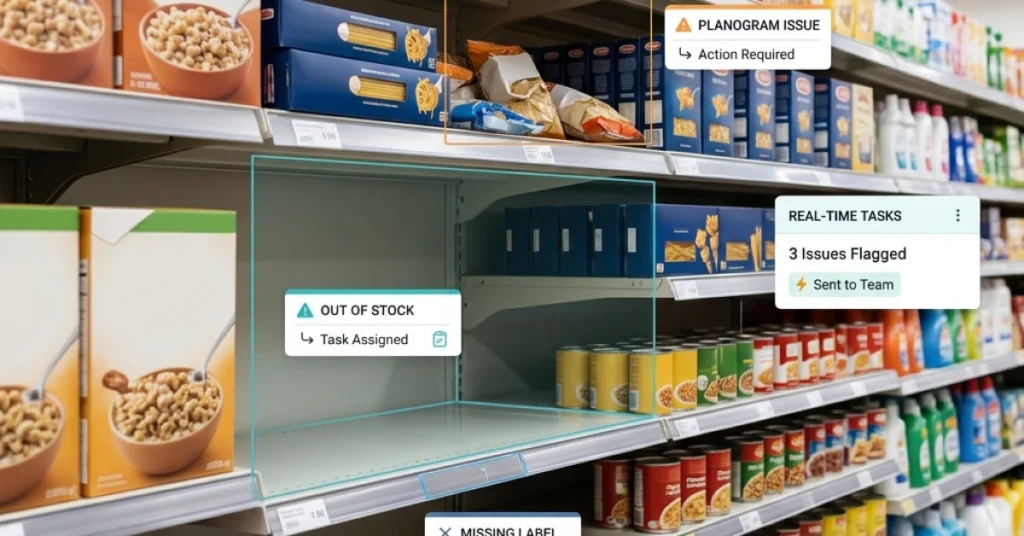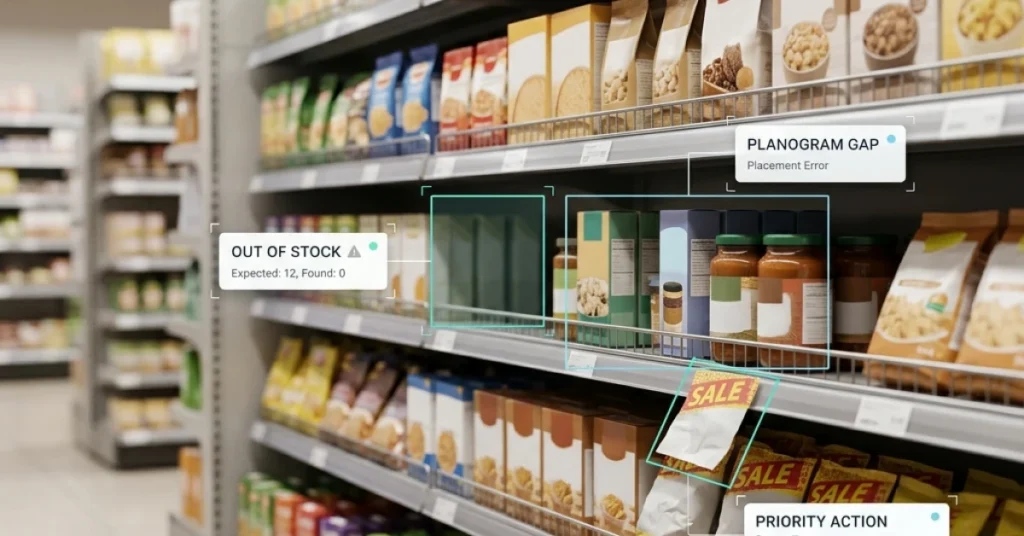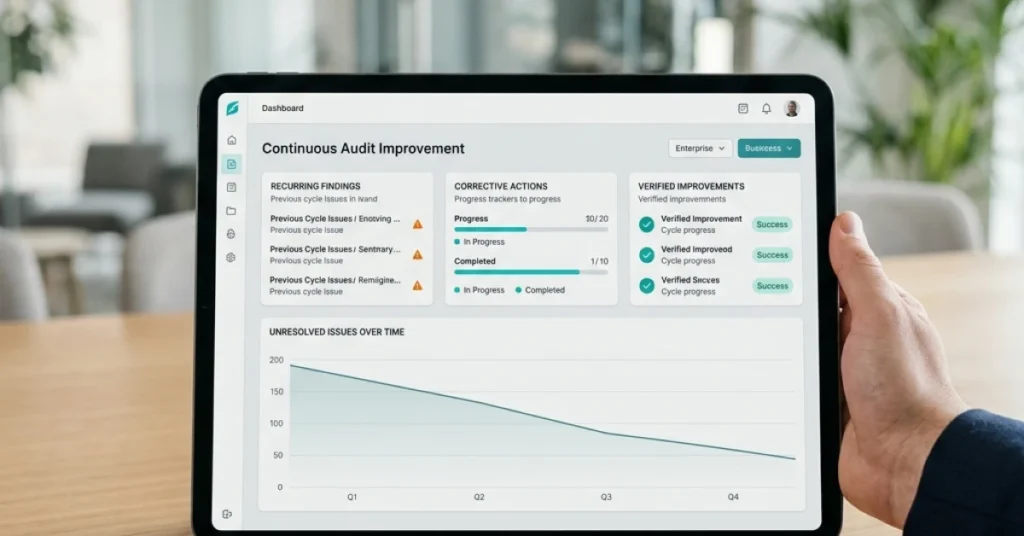
Mobile data capture for audits helps field teams collect accurate information on-site without paper forms or manual re-entry. This guide covers five essential app features, audit tools, and practical rollout steps to improve data quality from collection to reporting.
✦ Key Takeaways · 6 min read
Sites whose audit error rates fall outside the 95% CI trigger mandatory investigation, mobile data capture stops that from happening.
→ Paper trails hide errors until damage is already done.
→ Real-time capture lets supervisors catch problems before they escalate.
→ The right audit app replaces correction cycles with instant compliance.
In this article:
Why Paper Audits Keep Failing Field Teams
How Mobile Data Capture Actually Works in Audits
5 Features That Make or Break an Audit App
Best Mobile Data Capture Apps for Audits in 2026
How to Roll Out Mobile Audits Without Disruption
Conclusion
Key takeaway: Mobile data capture is the only audit method that catches errors before they cost you.
Why Paper Audits Keep Failing Field Teams
Paper forms don’t just slow your team down. Every time someone copies a handwritten checklist into a spreadsheet, they create a transcription layer, a step where mistakes silently enter your records before anyone notices. That gap between collection and reporting is where quality actually dies.
Say your field rep marks a shelf compliance score on paper at a store, then types it into a shared sheet two hours later back at the office. By then, smudged ink, rushed shorthand, or a simple misread number has already corrupted the record. No one flags it, and the report looks clean.
Hidden costs of manual data entry
Manual re-entry doesn’t just waste time. It adds a second opportunity for mistakes on top of whatever the original collector got wrong in the field. Mobile data capture removes that re-entry step entirely, so the information your rep submits on-site is exactly what lands in your final report.
Those compounding inaccuracies carry real cost. Decisions about restocking, compliance gaps, or vendor performance all rest on figures that may have been wrong since day one, and no one on the team knows it.
Where accuracy breaks down on-site
The breakdown rarely happens because a rep is careless. It happens because paper gives no guardrails. A field auditor can skip a required field, write an ambiguous number, or lose a page entirely, and the form still looks complete until someone tries to use the data.
This is exactly why mobile merchandising compliance tools have moved from nice-to-have to essential for teams that need reliable field data. Understanding how that information flows from a phone to a finished report makes the value of digital collection impossible to ignore.
How Mobile Data Capture Actually Works in Audits
That gap closes the moment a field rep opens a mobile auditing app and fills out a digital form on their phone. The data goes straight into a central system the second they hit submit. No paper to re-key, no clipboard to photograph. There’s no transcription step where a misread number ends up as the wrong figure in the final report.
Say your team audits a chain of retail locations every week. With a paper checklist, one auditor’s handwriting turns “6 facings” into “8 facings” by the time someone types it up back at the office.
Mobile data capture for audits cuts out that middleman entirely. The number your auditor enters in aisle three is the exact number your manager sees in the dashboard an hour later. Nothing passes through a second set of hands on the way.
Capturing photos, GPS, and e-signatures as evidence
A digital form does more than replace checkboxes. With digital audit data capture, a rep can attach a photo of a damaged display and log GPS coordinates to confirm they were on-site. They can also collect a store manager’s e-signature, all inside the same submission.
That evidence travels with the audit record automatically, so there’s no separate email chain to track down later. This matters because mobile merchandising compliance tools treat each data point as a linked asset, not a loose file. A photo tied to a specific location and timestamp is evidence; a photo sitting in someone’s camera roll is just a picture.
How offline mode keeps audits running anywhere
Most field locations aren’t in a coffee shop with reliable Wi-Fi. A solid mobile audit software solution stores form responses locally on the device when there’s no signal, then syncs everything automatically once a connection returns. The auditor never has to think about it, and no data sits in limbo waiting to be manually transferred.
Without offline capability, mobile data collection for field audits breaks down the moment a rep walks into a warehouse basement. The same is true for a rural store with poor coverage. Offline mode isn’t a bonus feature. It’s what separates an app that works in the real world from one that only works in a demo. Not every app handles this equally well, and that difference is exactly what the next set of criteria will expose.

5 Features That Make or Break an Audit App
That direct data flow only matters if the app is built for real field conditions. Most audit teams that struggle with mobile tools didn’t pick the wrong category of software. They picked an app missing one or two features, and those gaps quietly broke the whole process.
The five features below aren’t about convenience. Each one targets a specific point where audit data gets corrupted, delayed, or lost between collection and reporting.
Offline data capture that syncs automatically
Say your team audits a cold storage facility or a basement stockroom with no cell signal. An app that needs a live connection will either freeze mid-audit or force the auditor to re-enter everything later. That brings back the transcription layer you were trying to remove.
Mobile data capture for audits only removes human error if data travels straight from the form to the system. There must be no manual step in between. Offline sync makes that guarantee hold up even in dead zones.
Structured, logic-driven forms
A blank text field is just a digital version of a paper line. Forms that use conditional logic, where answering “No” to a safety question surfaces a follow-up, push auditors to capture the right data the first time.
Without this, auditors skip fields, use inconsistent labels, or leave notes no one can read later. Good audit data quality practices start at the form level, not in the spreadsheet after the fact.
Photo and barcode capture tied to specific fields
Photos and scans only help when they’re attached to the exact checklist item they document. Say an auditor photos a damaged shelf and it lands in a general gallery. Nobody reviewing the report will know which finding that photo belongs to.
Digital audit data capture must link every image, scan, or signature to the field that triggered it. That keeps the evidence chain intact from collection to final report.
Integration with ERP and compliance systems
An audit app that stores data in its own silo forces someone to export, reformat, and import findings into your ERP or compliance platform. That manual transfer introduces errors and delays, exactly the transcription step you want to cut.
Good mobile audit software connects directly to systems like SAP, Oracle, or your compliance dashboard. Findings move automatically, and the data stays clean from field to record.
Data security and audit trail integrity
Every entry in a compliant audit needs a timestamp, a user ID, and a record of any edits made after submission. Without that, a regulator or internal reviewer can’t confirm the data wasn’t changed after the fact.
Mobile data collection for field audits must log who captured what, when, and from which device. That logging should be automatic, not an optional setting someone has to remember to turn on.
Knowing what features to require is step one. The harder question is which apps on the market in 2026 actually deliver all five without forcing you to stitch together workarounds.
Best Mobile Data Capture Apps for Audits in 2026

Best Mobile Data Capture Apps for Audits in 2026
These features only matter if the app actually delivers in the field. Real conditions, real auditors, and people with all different levels of tech comfort will put it to the test.
The apps below were judged on one criterion: do they cut the transcription layer? That’s the hidden step where a human re-keys or summarizes data before it reaches a report. That single step is where audit data quietly breaks, and every app here either kills it or doesn’t make the list.
Top picks by industry and use case
Different industries hit the transcription problem at different points. A retail team loses data when a store associate scribbles shelf counts on paper and hands them to a manager. That manager then types the numbers into a spreadsheet, and accuracy suffers at every handoff. A food safety inspector loses data when handwritten temperature logs get transcribed into a compliance report two days later.
The right app depends on where your team’s data breaks, not on which brand has the best marketing.
Say your team audits restaurant locations across three states. You need an app that captures photos, timestamps, and pass/fail scores in one tap and pushes that data straight into your reporting dashboard. No copy-paste step, no manual transfer. Understanding field data capture methods helps you ask the right questions before you commit to any tool.
|
App |
Best For |
Offline Mode |
Direct Report Output |
|---|---|---|---|
|
iAuditor (SafetyCulture) |
Safety and compliance audits |
Yes |
Yes, PDF and dashboard |
|
Lumiform |
Quality and food safety |
Yes |
Yes, auto-generated reports |
|
GoAudits |
Retail and hospitality inspections |
Yes |
Yes, instant PDF on submit |
|
FieldPie |
Field sales and retail execution |
Yes |
Yes, live dashboard sync |
|
Fulcrum |
Infrastructure and utility audits |
Yes |
Yes, GIS-linked exports |
Every app above supports offline data collection and pushes completed audits directly to a report without a human re-entry step. That’s the minimum bar for mobile data capture for audits in 2026.
Corrective action management after the audit
Capturing clean data is only half the job. The other half is making sure a failed checklist item triggers a fix, not a forgotten email thread. Mobile audit software without built-in corrective action workflows forces teams to copy findings into a separate task system by hand. That brings the transcription layer right back in through the back door.
Look for apps that let you assign a corrective action directly from the audit form and set a due date. You should be able to track resolution status in the same dashboard where the original finding lives. iAuditor, GoAudits, and Lumiform all handle this natively.
If an app separates findings from follow-up, it’s solving only part of the problem.
“The audit isn’t done when the auditor leaves the building. It’s done when the corrective action is closed and verified.”
Digital audit data capture tools that close the loop on corrective actions give managers a single source of truth. You see the finding, the fix, and the proof of resolution in one place, with no spreadsheet bridging the gap.
Picking the right app is only the first decision. Getting your team to use it consistently, in the field, on day one, is a different challenge entirely.

How to Roll Out Mobile Audits Without Disruption
Picking the right app solves half the problem. The other half is rollout, and most teams quietly fail at it, not because the software is bad, but because they skipped the steps that get people to actually use it correctly in the field.
The goal of mobile field audit software isn’t just to go paperless. It’s to remove the transcription layer, the moment when a field rep copies handwritten notes into a spreadsheet and silently introduces errors that corrupt your final report.
Phase 1: Run a Controlled Pilot First
Don’t hand the app to your entire team on day one. Pick one location, one route, or one audit type and run it in parallel with your current process for two weeks.
Start with five stores, compare the digital output against your paper records, and look for gaps before you scale. This step catches form design problems before they multiply across every audit you run.
Phase 2: Fix the Form Before You Fix the Habit
Most rollout failures trace back to a form that was built for a desk, not a field rep standing in a stockroom. Digital audit data capture only works if the form matches how the job actually flows, not how a manager imagined it from the office.
Walk through the audit yourself using the app before training anyone. If a question is confusing on a screen, your reps will skip it or guess, and that guess becomes your data.
Phase 3: Train on the Why, Not Just the How
Field reps adopt new tools faster when they understand what breaks without them. Show your team one real example of how a transcription error changed an audit result, and the case for mobile data capture for audits makes itself.
FieldPie’s mobile audit software eliminates that transcription step entirely by moving data directly from the field rep’s device into a structured report, with no manual re-entry in between. That’s a concrete process fix, not a feature pitch.
Phase 4: Review Output Weekly for the First Month
After go-live, review completed audits every week for the first four weeks. Look for skipped fields, inconsistent answers, or photos that don’t match the checklist item, because those patterns reveal where your mobile data collection for field audits still has gaps.
Once the data comes back clean and consistent, you’ve done more than switch tools. You’ve closed the loop that paper never could.
Rule of thumb: If your audit data looks cleaner on paper than it does in your new app after two weeks, the form needs work, not the team.
A clean rollout doesn’t just protect your data quality on day one. It determines whether your team trusts the tool enough to use it honestly six months from now, and that trust is the only thing standing between you and audit results you can actually act on.
Conclusion
A controlled pilot gets your team ready. The real payoff comes when you see what you have actually fixed. It is not just the paper forms, it is the transcription layer where errors quietly corrupt your data before anyone sees a report.
Mobile data capture for audits removes that hidden step entirely. The number your auditor enters in the field is the exact number that appears in your dashboard. Nothing sits in between to distort it.
Say your team runs weekly store compliance checks across thirty locations. Before, someone typed handwritten scores into a spreadsheet every Monday morning, and small mistakes compounded across every report that followed. With audit data prefill tools, that manual transfer step disappears, and your reports reflect what actually happened in the field.
Most audit teams that struggle with digital audit data capture picked a tool without asking a key question: does it cut transcription, or does it just digitize the clipboard? Those are not the same thing. FieldPie’s mobile audit software captures, validates, and routes field data the moment a form is submitted. That closes the gap between collection and reporting completely.
FieldPie sells an AI-powered field operations platform that helps businesses manage scheduling, routing, audits, sales, merchandising, and team tracking from a single mobile-friendly tool.