


✦ Key Takeaways · 6 min read
With 99% of retailers already running mobile tech in-store, audits that still rely on clipboards are bleeding money.
→ Manual audits create blind spots that erode store performance silently.
→ Mobile tools turn compliance checks into real-time, actionable intelligence.
→ The right audit checklist separates high-performing stores from struggling ones.
In this article:
Why Manual Store Audits Are Costing Retailers More
What Mobile Technology Actually Does in Store Audits
How Do You Build an Effective Mobile Audit Checklist?
Best Mobile Audit Tools Compared: 2025 Benchmarks
Turning Audit Data Into Store-Level Action
Conclusion
Key takeaway: Retailers who digitize store audits now will outcompete those who wait.
Why Manual Store Audits Are Costing Retailers More
Out-of-stocks combined with overstocks cost the global retail industry about $1.7 trillion annually, according to Blog Thirdchannel. That number doesn’t come from bad products or weak demand. It comes from a gap between spotting a shelf problem and actually fixing it.
Paper-based processes widen that gap every day. A field rep walks a store, jots notes on a clipboard, then drives back to the office. The typed report lands in a manager’s inbox two days later. By then, the empty shelf has already cost you sales you’ll never recover.
The Compliance Perception Gap in Numbers
Most store managers believe their shelves look exactly as planned. They’re usually wrong. Digital shelf planogram tools exist because what staff perceive and what’s actually on the shelf rarely match.
Paper-based processes let compliance problems age before anyone with authority even knows they exist. A violation spotted on Monday might not get fixed until Thursday. That’s three days of lost sales from an issue someone already found.
Where Manual Processes Break Down First
The first failure point isn’t the check itself. It’s the handoff: the moment a finding leaves the auditor’s hands and enters a slow, manual routing system that nobody owns.
Speed-to-correction is the time between spotting a shelf problem and the moment someone physically fixes it. It’s the only figure that ties audit activity to real sales recovery. Paper checklists can’t compress that window.
They capture what’s wrong, but they don’t push the right fix to the right person fast enough to matter. Seeing what mobile technology does to that window changes how you think about every tool in this space.
What Mobile Technology Actually Does in Store Audits
That gap between finding a problem and fixing it doesn’t close on its own. Mobile technology for in-store audits closes it by putting the right information in the right hands within minutes, not days. The tool replaces delay with a direct line from observation to action.
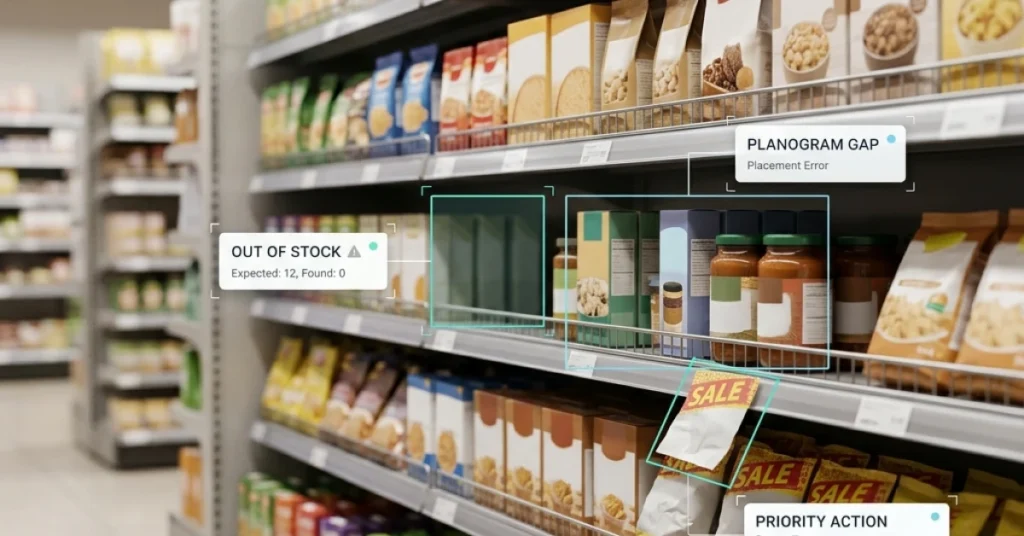
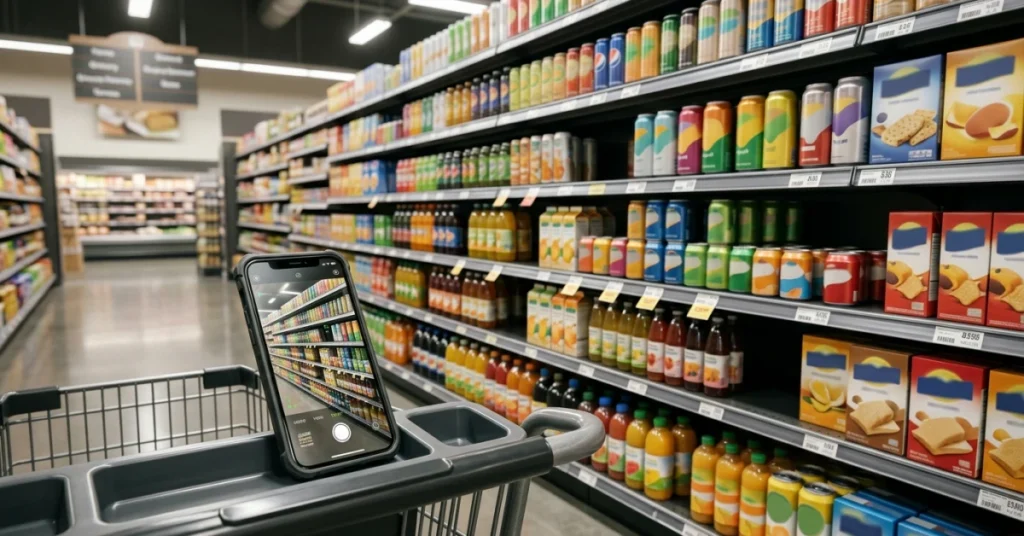
Say your field rep walks a grocery aisle and spots a planogram violation. They photograph it, flag it, and the store manager gets an alert before the rep reaches the next aisle. That’s the difference between a report that sits in a folder and a fix that happens the same day.
Core Capabilities: Beyond Digital Checklists
A mobile audit platform does far more than swap paper for a screen. It captures photos, timestamps every entry, routes tasks automatically, and builds a searchable record of every store visit. That data lets managers spot patterns across dozens of locations, not just one shelf on one day.
The real shift is that retail audit tools move accountability downstream. Instead of a district manager reviewing a PDF a week later, the right store-level person gets a specific task. That task comes with a deadline attached.
Image Recognition and Planogram Compliance Verification
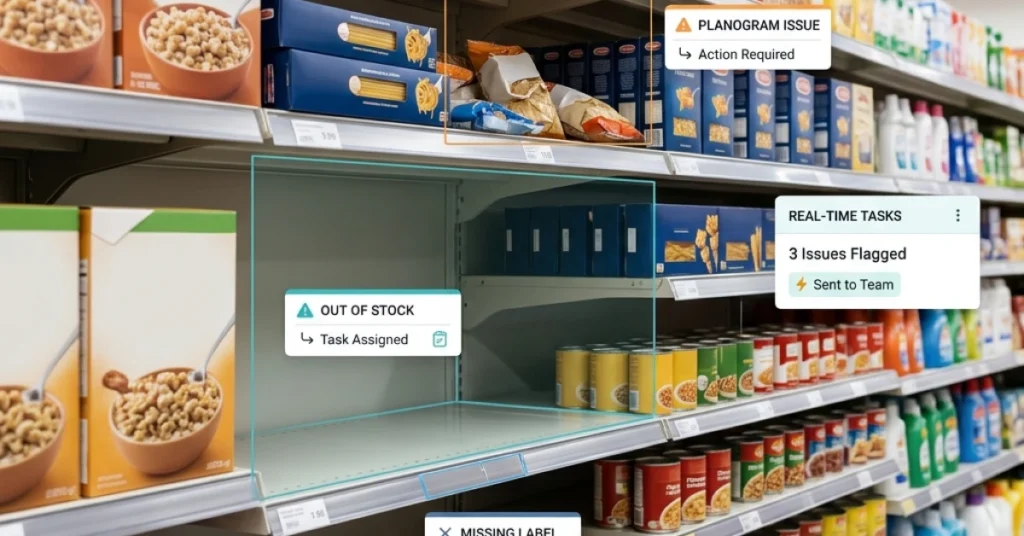
Modern retail store audit software can compare a shelf photo against the approved planogram automatically. The system flags gaps, misplaced products, or missing price tags without anyone manually cross-referencing a printed diagram. That cuts review time and removes the guesswork that paper-based audits rely on.
Offline Mode for Low-Connectivity Store Environments
A solid mobile audit app works without a Wi-Fi signal. Reps complete their checklist in a basement stockroom or a rural location, and the data syncs the moment connectivity returns. No lost entries, no duplicate work, no excuses for skipping a section.
POS and Inventory System Integrations That Matter
Audit data becomes far more useful when it connects to your point-of-sale and inventory systems. A rep flags an out-of-stock item, and the system cross-checks live inventory right away. It confirms whether the product is in the back room or genuinely needs reordering. That connection turns a field observation into a supply chain decision in real time.
Photo-validated digital audits put actual planogram compliance rates between 55% and 65%, according to Yoobic. Most retailers are correcting far less than they assume. Knowing the real number is the first step to closing that gap.
📊 By the Numbers
When photo-validated digital audits replace assumption, actual compliance rates land between 55% and 65%., Yoobic
Every retailer should settle one question before the next audit cycle: what exactly belongs on that checklist? Your software captures only what you ask it to, so the quality of your questions shapes the quality of your results.

How Do You Build an Effective Mobile Audit Checklist?
That speed advantage disappears fast if your checklist is a digitized version of a broken paper form. Faster reports that still miss problems will keep costing you sales. Start by mapping every checklist item to a specific action someone can take at store level. Each item should drive a real task, not just a yes/no box to check.
Say your team audits a grocery chain. Instead of “check dairy section,” try something more precise. Write “confirm all yogurt facings match the planogram photo.” Then add “flag any gap wider than one product slot.” That level of detail tells the auditor exactly what to look for and gives the store manager a clear fix. You can learn more about structuring a mobile field audit to see how task design shapes correction speed.
Review your checklist every quarter, because product lines change and promotions rotate. A stale checklist creates blind spots. Cut any item that doesn’t connect to a measurable store outcome. Keep the total under 40 questions so auditors finish on time and stay focused.
8 Metrics Every Mobile In-Store Audit Should Track
A strong in-store audit checklist tracks outcomes, not just observations. These eight metrics give you data that connects directly to shelf performance and sales recovery.
On-shelf availability: Is the product physically on the shelf and visible to shoppers?
Planogram compliance: Do facings match the approved layout, including sequence and quantity?
Price tag accuracy: Does the shelf label match the current promoted or everyday price?
Promotional display placement: Is the display in the agreed location and fully stocked?
Out-of-stock count: How many SKUs have zero units on the shelf right now?
Expiry date compliance: Are any near-expiry or expired units still on the shelf?
Share of shelf: Does your brand hold the agreed percentage of total category space?
Correction turnaround time: How many minutes or hours pass between flagging an issue and confirming it’s fixed?
That last metric, correction turnaround time, is the one most retail audit tools ignore. It’s also the one that shows whether your audit program actually moves product or just generates reports.
Audit Frequency Benchmarks by Retail Format
How often you audit depends on the format, not just the budget. High-velocity formats like convenience stores and grocery chains need more frequent visits because stock and compliance conditions shift daily. Specialty retail and department stores move slower, so weekly or biweekly audits often cover the gaps without stretching your field team too thin.
Rule of thumb: If a compliance gap at your store format can cost you a full day of lost sales before anyone notices, your audit cycle is too long. Shorten it until the gap shrinks to hours, not days.
Use your mobile store audit app to track how long issues stay open after each visit. That data tells you whether your current frequency is tight enough or whether you’re auditing more often than the fix rate justifies.
Once you know what to measure and how often to measure it, the next question is which tools actually deliver. The 2025 benchmark comparison breaks that down by platform, so you can match the right tool to your format and team size.
Best Mobile Audit Tools Compared: 2025 Benchmarks
With a solid checklist in place, the next question is which platform will actually run it well in the field.
Feature-by-Feature Comparison of Leading Platforms
Not every retail audit tools platform is built for the same job. Some prioritize data collection; others focus on routing findings to the right person fast, which is the part that actually drives correction.
Say your team audits a grocery chain and flags a planogram violation at 9 a.m. A platform with built-in task routing pushes that finding to the store manager’s phone within minutes. A platform without it files the finding in a report nobody reads until Friday.
Here is how the leading platforms stack up on the features that matter most for speed-to-correction.
|
Platform |
Offline Mode |
Real-Time Task Routing |
Custom Checklist Builder |
|---|---|---|---|
|
FieldPie |
Yes |
Yes |
Yes |
|
GoSpotCheck |
Yes |
Yes |
Yes |
|
Repsly |
Yes |
Medium |
Yes |
|
Yoobic |
Yes |
Yes |
Yes |
|
iAuditor (SafetyCulture) |
Yes |
Medium |
Yes |
|
Bindy |
No |
Low |
Yes |
Offline mode matters because store Wi-Fi is unreliable. Real-time task routing is the feature that separates a mobile store audit app that drives action from one that just collects data.
When Crowdsourcing Outperforms Dedicated Audit Teams
Crowdsourced auditing means using a network of on-demand shoppers or field reps to check stores, rather than sending your own full-time staff. Platforms like Premise and Field Agent run on this model, and they cover more locations faster than a fixed team can.
This approach works best for broad coverage checks, like verifying a national promotion is live across hundreds of stores in a single week. For deep compliance audits that need consistent judgment and brand knowledge, a dedicated team with a strong mobile technology for in-store audits platform still wins.
Use the comparison below to match your audit type to the right model.
|
Audit Need |
Crowdsourced Model |
Dedicated Team Model |
|---|---|---|
|
Wide geographic coverage |
High |
Medium |
|
Deep compliance checks |
Low |
High |
|
Speed of deployment |
High |
Low |
|
In-store audit checklist consistency |
Medium |
High |
|
Cost per store visit |
Low |
High |
Neither model beats the other in every situation. The smartest retail teams use crowdsourcing for broad sweeps and dedicated reps for stores where compliance history shows repeat problems.
Practical rule: Before choosing any retail store audit software, ask one question: how many minutes pass between a flagged finding and the moment a store employee receives a task to fix it? That window is your real benchmark.
Choosing the right platform gets you faster findings, but a finding sitting in a dashboard still fixes nothing on the shelf.
Turning Audit Data Into Store-Level Action
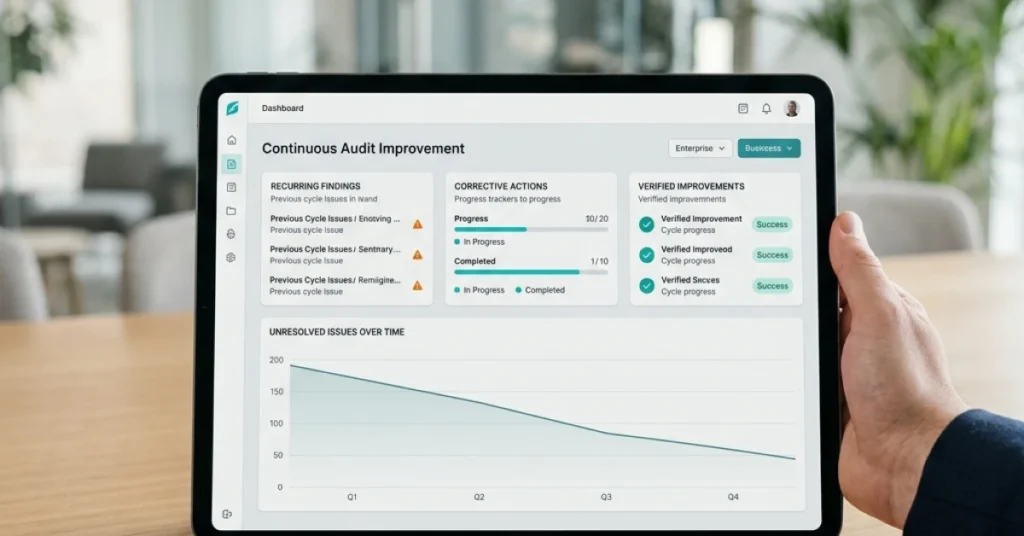
Routing audit findings to the right person fast is what separates a correction from a report nobody reads. Speed-to-correction is the only metric that ties your audit program to real sales recovery. It depends entirely on how your workflow is built after the data lands.
Say your field rep flags an empty end-cap at 9 a.m. If that finding routes automatically to the store manager with a photo and a deadline, the shelf gets fixed before the lunch rush. If it routes to a district inbox someone checks on Friday, you’ve documented a problem and lost four days of sales.
Blog Thirdchannel reports that fewer than 1 in 4 retailers score 80% or better on key shelf metrics. Those metrics include on-shelf availability and planogram compliance. That gap is a routing problem, not a data problem. Mobile technology for in-store audits closes that gap only when findings trigger a task with a deadline, not just a timestamp.
Following franchise audit best practices, the strongest teams assign every flagged item a named owner and a response window. That assignment happens before the auditor even leaves the store.
📊 By the Numbers
Fewer than 1 in 4 retailers hit 80%+ accuracy on key shelf metrics. On-shelf availability, planogram compliance, and promotional execution all fall short, per Blog Thirdchannel.
Every retailer should ask one question before picking an audit solution. How fast does a flagged problem reach the person who can physically fix it?
Conclusion
Every delay between spotting a shelf problem and fixing it costs you a sale. That gap is the only number that truly measures whether your audit program works. Mobile technology for in-store audits earns its value by shrinking that correction window to minutes instead of days.
Say your team flags a misplaced promotional display at 9 a.m. The store associate gets a push notification with a photo and a fix by 9:05. That’s the standard worth building toward.
The retailers who get the most from a mobile store audit app treat it as a decision system, not a reporting tool. A strong in-store audit checklist sends findings to the right person automatically. Data never sits waiting for a manager to forward it. Pair that with AI-driven store visit planning and your team stops reacting to problems and starts preventing them.
Most retail teams lose revenue because their audit workflow ends at the report, not the fix. FieldPie routes audit findings directly to field reps and store contacts the moment an issue is logged. That cuts the time between discovery and correction. FieldPie offers an AI-powered field operations platform that helps businesses manage scheduling, routing, audits, sales, merchandising, and team tracking. Everything runs from a single mobile-friendly tool.