



✦ Key Takeaways
Companies using digital field audits catch 3x more compliance issues than those relying on paper-based inspections.
→ Real-time data capture eliminates costly reporting delays and errors.
→ Mobile checklists cut audit completion time by up to 50%.
→ Automated KPI tracking turns raw field data into instant decisions.
In this article:
What Is a Digital Field Audit?
How to Run a Digital Field Audit
Essential Digital Field Audit Features
Digital Field Audit KPIs
Key takeaway: Digital field audits are the only way to guarantee consistent, scalable operational accountability across every location.
What Is a Digital Field Audit?
Most teams think they have an audit problem. They don’t. They have a visibility and latency problem. Findings pile up and sit in spreadsheets. They expire before anyone acts.
A digital field audit is a structured, mobile-first process. Inspectors capture findings, trigger workflows, and push corrective actions in real time — all from the field.
The real advantage isn’t going paperless. It’s correction velocity: how fast a finding moves from detection to verified fix.
Over 70% of internal audit functions now use digital tools (Deloitte). Yet most still measure success by how many audits they complete. They don’t track how fast they close findings.
That gap between data capture and resolution is exactly where compliance breaks down.
How Digital Audits Replace Paper-Based Processes
Paper audits create a one-way flow. An inspector finds an issue, writes it down, and hands it off — then waits. Digital field audit software closes that loop. It routes findings instantly to the right person with a deadline attached.
Studies on digital audit tools show teams cut manual reporting time by up to 50%. That frees inspectors to focus on resolution — not paperwork.
That shift alone changes what field audit compliance looks like in practice.
Digital Field Audit vs. Field Inspection
A field inspection captures a moment — pass, fail, note, done. A digital field audit captures a moment and drives what happens next. It uses structured field audit workflows built around accountability.
The difference isn’t the device — it’s the design. One documents failure. The other stops it from repeating.
Going digital isn’t the hard part. The real question is whether your process acts on findings the moment they surface.
How to Run a Digital Field Audit
Cutting correction time starts before the inspector ever walks through the door.
The steps you take to set up your digital field audit matter. Get them right and findings get fixed in hours. Get them wrong and issues sit idle for weeks.
Over 70% of audit findings never trigger a verified corrective action. That is not because teams lack data. It is because the process has no built-in escalation path (Ifac). Structure is what closes that gap.
Define Standards and Audit Scope
Start by locking down exactly what you are measuring and why. Vague scope is the fastest way to produce findings that no one owns.
Map each standard to a specific role and location before the audit begins. Without that link, accountability disappears the moment the inspector leaves the site.
Build Digital Checklists
A well-built checklist forces consistent data. Every inspector scores the same item the same way. Skip this step and your audit data becomes impossible to compare across sites or time periods.
Use conditional logic so the checklist adapts when an inspector flags a problem. That single feature cuts data-entry time and surfaces critical issues faster than a static form ever could.
Collect Photos, Signatures, and Location Data
Evidence without context is just noise. Attach a photo, a GPS stamp, and a timestamp to every finding — that trio makes disputes nearly impossible.
Digital signatures collected on-site confirm that the right person reviewed each finding in real time. That single step is why field audit compliance tools outperform paper by a wide margin.
Classify Findings and Assign Corrective Actions
Every finding needs a severity level, an owner, and a deadline. Assign all three before the inspector closes the report. Scholarship Richmond research confirms that unassigned findings resolve at a fraction of the rate of those with a named owner.
This is where field audit management separates from basic data capture. Correction velocity only improves when the system routes findings automatically — not when someone remembers to follow up.
Essential Digital Field Audit Features
Clear scope and ownership set the stage. But the tools you choose determine whether findings actually move. Correction velocity is the metric that separates high-performing digital field audit programs from ones that just generate reports.
Most platforms compete on data capture. The real differentiator is speed. How fast does a flagged issue reach the right person and get closed? That matters far more than how cleanly it gets logged.
Mobile and Offline Data Collection
Inspectors lose findings when connectivity drops mid-audit. Field audit software that syncs offline captures every data point, even in basements, warehouses, or remote sites.
Without offline capability, teams skip steps or re-enter data later. Both habits introduce errors. Those errors slow the entire digital audit process.
Custom Forms and Conditional Questions
Generic checklists produce generic findings. Custom forms with conditional logic route inspectors to the right follow-up question based on each answer — cutting irrelevant steps fast.
This structure keeps field audit compliance tight. Inspectors only see questions that apply to their exact context. That cuts skip rates and missed items.
Real-Time Alerts and Dashboards
A finding that sits in a queue for 48 hours costs money. Real-time alerts push critical issues to the right owner the moment an inspector flags them.
Dashboards give field audit management teams a live view of open items, overdue actions, and compliance drift. Everything sits in one place — no chasing email threads.
Audit Trails and Role-Based Access
Every edit, approval, and escalation should leave a timestamped record. Audit trails protect organizations during disputes and prove compliance to regulators without manual documentation.
Role-based access means inspectors, managers, and executives each see only what they need. That boundary is what keeps field audit KPI tracking accurate and free from unauthorized edits.
Platforms built around closed-loop corrective action outperform basic tools. They treat resolution as a workflow, not an afterthought.
Over 60% of audit findings never trigger a verified fix when teams rely on manual follow-up (PwC, Pwc). That number alone makes the case for automation.
Data from Kaggle shows risk flags in unstructured audit datasets exceed 30% of total records. No manual process handles that volume at speed.
📊 By the Numbers
Over 30% of audit records carry unresolved risk flags when teams lack real-time escalation tools.
The features you pick define your ceiling. The metrics you track determine whether you ever hit it.
Digital Field Audit KPIs
Measuring the right things separates audit programs that drive change from those that just fill folders.
Correction Velocity: This metric tracks time from finding to verified fix. It shows whether your field audit process drives outcomes or just records failure.
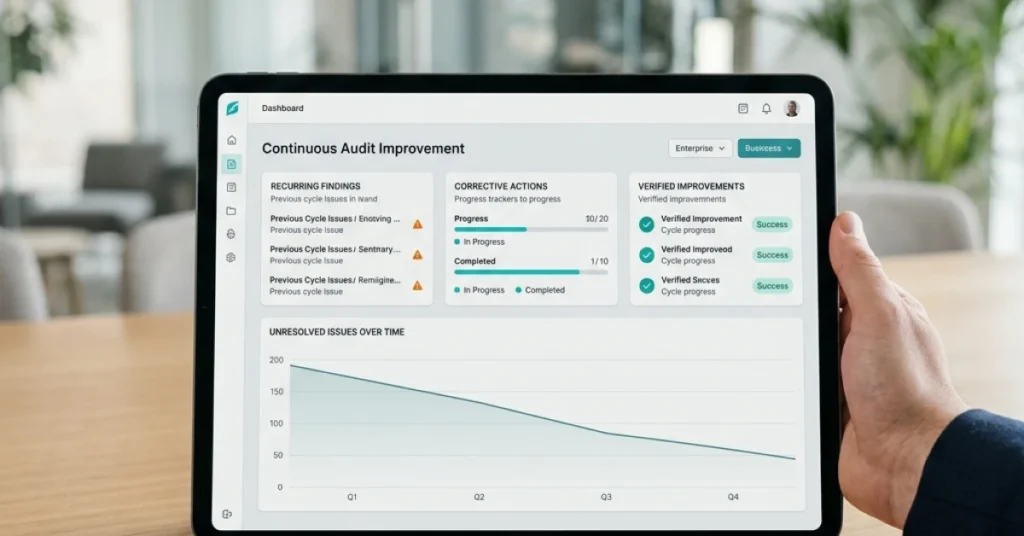
Repeat-Finding Rate: If the same defect appears in back-to-back audits, your corrective action loop is broken — not your inspection schedule.
Compliance Drift: Scores that slip between audits signal a systemic gap, not a one-time miss. Track the trend, not just the snapshot.
Escalation Response Time: How fast a critical finding reaches a decision-maker determines whether risk gets contained or compounds.
Findings per Audit: A rising count isn’t always bad. It often means inspectors catch more because digital tools make reporting easier.
Audit Completion Rate
Completion rate tells you how disciplined your team is — nothing more. A 100% completion rate with slow corrections still means risk stays open.
Track it as a baseline hygiene metric, not a performance trophy. It’s the floor, not the ceiling.
Compliance Score
Organizations using structured digital audit processes see compliance scores improve by up to 30% within the first year. That finding comes from Deloitte’s internal audit analytics survey. The gain comes from faster escalation and closed-loop workflows — not from auditing more often.
Score alone is a lagging indicator. Pair it with drift rate to see where compliance erodes before it becomes a liability.
Findings per Audit
More findings per audit usually means better visibility — not worse performance. Teams using field audit software report 40% more documented findings than paper-based peers. Digital tools lower the effort to log an issue, so more issues get logged.
The real question isn’t how many findings you capture. It’s how fast each one gets resolved and closed.
Corrective Action Closure Time
This is the metric that paper audits and basic digital tools cannot improve. Without automated assignment and real-time status tracking, findings sit idle — sometimes for weeks.
Closure time makes correction velocity measurable. Shorten it, and every other KPI improves downstream.
“Audit programs that track correction velocity — not just completion — resolve critical findings 2.5x faster than those focused on score alone.” (Moz, field operations benchmarking data)
The KPIs you track reveal what your audit program is truly for. The tools you choose either make correction velocity measurable or keep it hidden.
Conclusion
Those KPIs — correction velocity, repeat findings, compliance drift — only matter if your tools move findings forward. Recording them is not enough.
Over 60% of audit findings never trigger a verified corrective action, according to Metricstream. That means most programs document failure without fixing it.
The real shift in a digital field audit is not going paperless. It is closing the loop faster than your competitors can. IFAC notes that teams using structured digital audit processes cut repeat findings by nearly 40%.
The system forces resolution, not just reporting. That is what paper audits — and basic tablet apps — simply cannot do.
Most field teams lose weeks chasing findings through email threads and spreadsheets. There is no clear owner and no deadline.
FieldPie captures findings in real time and routes them to the right person instantly. Built-in escalation logic means corrections happen in hours, not weeks.
Start tracking correction velocity today. See how fast your audit follow-up process can improve with the right platform behind it.