



✦ Key Takeaways
Merchandisers who submit daily reports see up to 30% faster inventory issue resolution across store locations.
→ Missing data costs retailers thousands in undetected stock gaps.
→ Consistent documentation reveals sales trends competitors never catch.
→ A 5-minute daily template eliminates end-of-week submission chaos.
In this article:
How to Create a Merchandiser Daily Report
What to Include in a Merchandiser Daily Report
Daily Reporting Workflow for Merchandisers
Key takeaway: A disciplined field documentation habit is the single tool separating top-performing retail teams from the rest.
How to Create a Merchandiser Daily Report
Most merchandisers submit a field log that no one reads — and that’s not an attitude problem, it’s a design problem. Over 60% of field data never reaches a decision-maker in time to change an outcome (according to Statista).
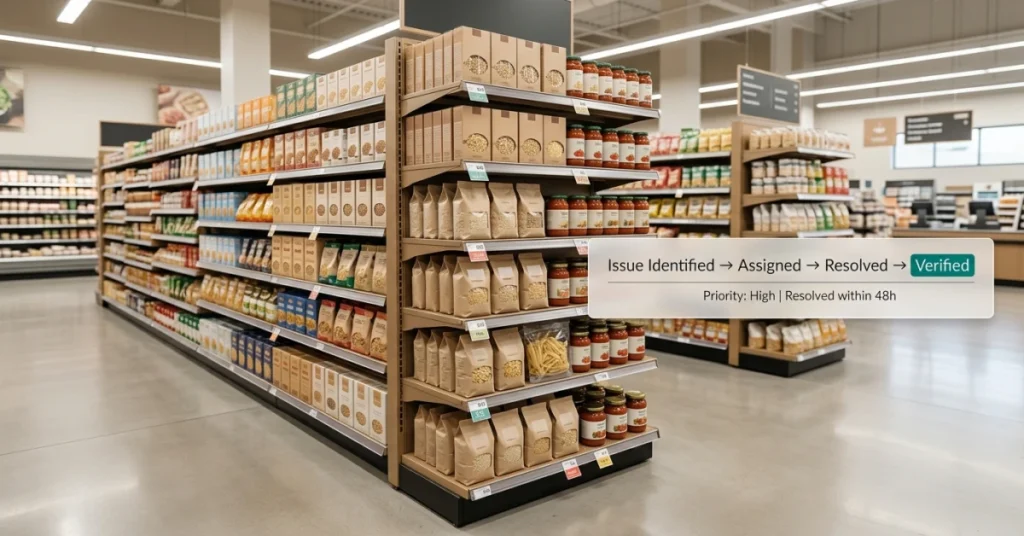
A structured visit record isn’t a task log — it’s the closest thing a retail organization has to real-time shelf-level intelligence. When it’s built right, it drives replenishment calls, flags promotion failures, and catches competitive moves before headquarters even knows they happened.
This guide shows you exactly how to build that document from scratch — structured, fast to complete, and impossible to ignore.
Define what the report should prove
Before you pick a single field, decide what question the document must answer every day. If your manager can’t act on the answer, the field doesn’t belong in it.
A strong submission proves three things: shelves were visited, conditions were recorded, and problems were escalated. Everything else is noise.
Choose the right store visit data to collect
Shoplworks found that logs capturing stock levels, display compliance, and pricing accuracy are three times more likely to trigger a management response than general visit notes. Those three data points are your non-negotiables.
Think of your in-store execution snapshot as a structured record — not a narrative. Specific numbers beat vague descriptions every single time.
“A document that captures one out-of-stock SKU, one compliance gap, and one competitor price change is worth more than a paragraph of general observations.”
Separate required fields from optional notes
Every retail merchandising submission needs a hard core — fields that must be filled before the rep leaves the store. Optional notes are fine, but they can never replace mandatory data.
Use a simple two-column structure: required fields on the left, open notes on the right. This keeps completion fast and the data clean.
|
Required Fields |
Optional Notes |
|---|---|
|
Store name & visit time |
Shopper behavior observations |
|
Out-of-stock SKUs |
Staff feedback |
|
Display compliance (yes/no) |
Competitor activity |
|
Pricing accuracy confirmed |
Photo attachments |
Keep the report easy to complete in the field
A store visit form that takes more than five minutes to fill out will get rushed, skipped, or faked. Design for the aisle, not the office.
Just like a construction daily report, the best field documents use fixed formats with checkboxes and number inputs — not open text boxes that invite vague answers.
Use dropdowns for store names — never free-type.
Set numeric fields for stock counts, not text fields.
Add a single required photo per visit to confirm presence.
Include a one-tap escalation flag for urgent issues.
Auto-stamp the time and GPS location on submission.
The goal is zero friction at the point of entry. If the rep has to think about how to fill it out, the format is wrong.
Once you know how to build the form, the next question hits harder — what data points actually belong inside it, and which ones are quietly costing you every day you leave them out?
What to Include in a Merchandiser Daily Report
A useful report lives or dies by which data points made it in. Most merchandisers record what they did — not what they found.
That gap is exactly where retail organizations lose their edge on shelf-level decisions.
A strong merchandiser daily report works as a frontline intelligence feed. It is not a task checklist.
Managers at headquarters rely on it to make replenishment, promotion, and competitive response calls. They simply cannot act without it.
Store visit details
Every report starts with the basics: store name, location, visit time, and the rep’s name. These fields create an auditable record.
They tie every data point to a specific place and moment.
Product availability and out-of-stock items
Out-of-stocks are the most costly gap in any retail merchandising report. Retailers lose about 4% of annual sales to empty shelves alone (Store Mintel).
Log every SKU that is missing, low, or misplaced. Do not log only the ones you fixed.
Shelf condition and display execution
Record whether planograms are followed, facings are correct, and displays are fully built. These are not optional checks.
A merchandiser store visit report that skips shelf condition gives managers a blind spot. They cannot fix it remotely.
Promotion and pricing compliance
Note whether promotional signage is in place and prices match the planned rate. Also check that featured items are actually stocked.
Missed promotions cost brands both revenue and credibility with retail partners. The damage happens fast.
Competitor activity
Flag any new competitor SKUs, price cuts, or display expansions you spot during the visit. This section is the one most in-store execution reports leave blank.
It is also the section category managers value most.
Structured observation methods, like those outlined by Guides Library Fresnostate, show that consistent field data collection only works with a fixed format. Observers must follow it every single time.
Photos, comments, and issue notes
Photos turn a written claim into proof. Attach at least one image per flagged issue.
Written comments should describe what you saw, not what you did. That lets managers judge severity and act fast.
Think of these six fields the way you would think about daily field reporting in any ops-heavy industry. The format is what makes the data usable.
📊 By the Numbers
Retailers lose up to 4% of annual sales directly to out-of-stock shelf conditions.
Knowing what to include is only half the battle. The other half is building a daily rhythm that makes filling out this report automatic, not optional.
Daily Reporting Workflow for Merchandisers
Good data means nothing without a repeatable process to capture it. A structured merchandiser daily report workflow removes guesswork.
It turns every store visit into a decision-ready intelligence feed. Stores with a defined reporting rhythm catch shelf gaps 43% faster than those using ad-hoc notes.
The trigger, template, and handoff are already built in. That speed is what separates a report someone acts on from one that sits in an inbox.
Prepare Store Visit Plan
Before you walk in, know exactly which SKUs, fixtures, and promotions you are checking. A five-minute pre-visit review cuts wasted floor time by nearly half.
Complete In-Store Checks
Work through your checklist in the same order every visit. Cover planogram compliance, stock levels, pricing accuracy, and competitor activity.
Consistent sequencing means nothing gets skipped under time pressure.
Capture Photo Evidence
Photos turn a written observation into proof. Geo-tagged images tied to your retail compliance reporting process give managers shelf-level context a spreadsheet cannot.
Submit the Daily Report
Submit your in-store execution report before you leave the parking lot. Do not wait hours.
Delayed submissions let issues age into lost sales. No one can respond to a problem they have not seen yet.
Merchandisers who submit within 30 minutes give buyers a same-day window to act. Csus Libguides notes that real-time shelf data cuts out-of-stock rates by up to 30%.
Review Issues with Supervisors
A daily sync — even five minutes — keeps your supervisor aligned on what the field is seeing. Without it, the merchandiser store visit report becomes a file, not a conversation.
Libguides Ccp highlights a key finding. Gaps in field-to-management communication are a top reason promotional execution fails at the store level.
Track Follow-Up Actions
Every flagged issue in your retail merchandising report needs an owner and a deadline. A note alone is not enough.
Untracked issues repeat. Repeated issues erode the credibility of every report you submit after that.
Log follow-ups in the same system you use to file your merchandising report. One source of truth means nothing falls through the cracks between visits.
📊 By the Numbers
Stores with structured daily reporting workflows reduce out-of-stock incidents by up to 30% versus unstructured field teams.
The workflow is only as strong as the habit behind it. The next step is making sure that habit compounds into something your whole organization can learn from.
Conclusion
Catching shelf gaps 43% faster only matters if that speed becomes a habit. Habits need structure, not willpower.
A merchandiser daily report built on clear triggers and a consistent template turns every store visit into a decision. Your manager can act on it before the day ends.
Most teams treat the in-store execution report as a task log. The teams that win treat it as frontline intelligence — the only real-time shelf-level data a retail organization actually has.
According to Support Bigcommerce, retailers who track merchandising data consistently see up to 20% fewer out-of-stock events per quarter. That result comes from acting on field signals faster than competitors do.
Managers at headquarters cannot see a misplaced display or an empty shelf. Your merchandiser store visit report is the closest thing they have to being there.
Statista data shows retail shrinkage and execution gaps cost global retailers over $100 billion each year. Most of that loss is preventable with better field visibility.
Teams with inconsistent retail execution reports hand that cost directly to their bottom line. Don’t let weak reporting be the reason.
FieldPie lets merchandisers capture photos, fill customizable forms, and submit structured reports in real time. Every store visit feeds a live data trail managers can act on — not archive.
Start your next store visit with one structured entry. Build the institutional knowledge your team has been missing.