



✦ Key Takeaways
Merchandisers juggling 5+ clients lose up to 30% of productive field time to poor scheduling and miscommunication.
→ Centralized route planning cuts wasted travel time by half.
→ Each client’s SLA demands a separate tracking system or chaos follows.
→ Standardized reporting templates save hours weekly across every account.
In this article:
How Do You Manage Multiple Merchandising Clients Efficiently?
How Do You Plan Visits Across Multiple Clients?
How Do You Track Execution for Each Client?
How Do You Manage Different Client SLAs and Reporting Needs?
Key takeaway: A single digital platform managing routes, execution, and reporting is non-negotiable for multi-client success.
How Do You Manage Multiple Merchandising Clients Efficiently?
Most field teams hit a wall — not from lack of effort, but lack of structure. Reps covering five or more accounts without a unified system burn up to 30% of their productive hours on redundant back-and-forth.
The real fix isn’t working harder or hiring faster. Build one operating layer beneath every account at once. Use shared templates, tiered SLA logic, and centralized deviation tracking.
Relexsolutions finds that real-time data visibility alone cuts compliance gaps by over 20%. That foundation means adding a new account adds revenue — not proportional chaos.
That’s the difference between an operation that scales and one that stalls.
Standardize Core Workflows
Build one master visit template that works across all accounts. Then customize only what each partner truly needs. This cuts onboarding time and stops your team from starting over every time you win new business.
Standardized checklists, photo requirements, and sign-off steps are the backbone of solid field work. Without them, quality depends on whoever shows up that day. No account will tolerate that risk for long.
Keep Client Requirements Separate
Shared workflows don’t mean blended data — those two things must stay completely apart. Mixing reports, KPIs, or store lists across accounts erodes trust fast. That’s true even when field execution is strong.
Use dedicated profiles or folders inside your platform. Then apply tiered SLA logic so each account gets the response speed it’s paying for. Trocglobal notes that clear per-account performance benchmarks are a core driver of long-term retention.
Assign Teams by Client, Territory, or Store
Random rep assignment kills accountability fast. Assign ownership by account, region, or store cluster. That way, someone always knows the details and catches problems before the client does.
This structure also makes it easier to track deviations centrally. That’s why merchandising ROI tools built around territory logic outperform generic scheduling apps. Clear ownership turns account oversight from reactive to proactive.
Once your setup runs five accounts as smoothly as one, the next question is clear. How do you actually plan the store visits that keep every account covered?
How Do You Plan Visits Across Multiple Clients?
That unified operating layer only pays off if your visit schedule follows the same logic. Gut instinct — or whoever called last — is not a system.
Ad-hoc routing is the fastest way to burn hours. It moves the needle on no single account.
Most merchandisers underestimate how much unplanned travel costs them. Reps waste up to 20% of their field time on inefficient routing between stops. That lost time adds up across every client in your book.
Prioritize by SLA, Store Value, and Risk
Not every store deserves the same visit frequency. Treating them equally is a hidden cost.
Tier your accounts by SLA needs, revenue, and compliance risk before you build any schedule. High-risk, high-value stores get fixed weekly slots. Lower-tier accounts rotate on a set cadence — never on a whim.
Balance Workloads and Reduce Travel
Group visits by geography first, then by client — not the other way around. A rep covering three clients in one zip code beats a rep crisscrossing the city for one client’s scattered stores.
When you manage planogram exceptions inside a centralized system, geographic clustering gets easier. Deviation data already lives by location. Shared route templates across clients cut planning time by a measurable margin every week.
Manage Recurring and Ad Hoc Visits
Recurring visits should be locked into a master calendar shared across all clients. Use one template — not five separate ones.
Ad hoc requests get slotted into open buffer time you protect in advance. They should never be carved out of existing commitments.
Teams that pre-schedule buffer time handle urgent client requests without disrupting their core route. That is how managing multiple accounts stays scalable as you grow. Dotactiv notes that structured visit planning improves on-shelf availability rates by up to 15%.
Smart scheduling is only half the equation. Gospotcheck shows that teams tracking visit outcomes by client see faster issue resolution and stronger account retention.
Knowing you showed up matters far less than knowing what happened when you did.
📊 By the Numbers
Structured visit planning improves on-shelf availability by up to 15%, directly lifting client satisfaction scores.
How Do You Track Execution for Each Client?
Smart routing gets your reps to the right stores — but it can’t tell you what happened once they walked in. Most merchandisers track visit completion and call it done.
That is exactly why client dissatisfaction keeps climbing even when field attendance looks perfect on paper.
Completion rates are a vanity metric. The real signal is deviation rate — how often a store fails a planogram check, misses a display requirement, or shows an out-of-stock that nobody flagged. Knowing how to manage multiple merchandising clients at scale means building one centralized deviation layer that catches these gaps across every account, not just the loudest one.
Monitor Store Coverage and Visit Completion
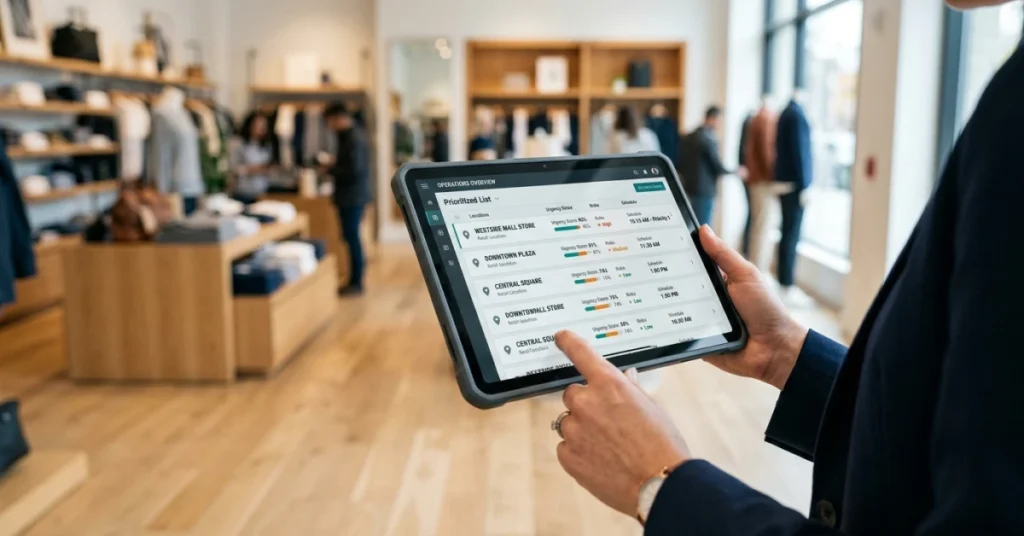
Coverage tracking is the floor, not the ceiling. You need a live dashboard that shows which stores were visited, which were skipped, and why — by client, by territory, by rep.
Without that view, you’re managing multiple client accounts on gut feel. A missed visit in a high-SLA account costs far more than one in a low-priority store.
Track Planogram, Display, and Availability Compliance
Compliance tracking is where most teams fall short. Reps check in, snap a photo, and move on — but nobody scores the shelf against the planogram until the client calls to complain.
Structured POSM execution tracking forces a pass/fail score on every visit, so deviations surface in hours, not weeks. Teams that score compliance in real time fix problems before clients ever see them.
Follow Open Issues and Corrective Actions
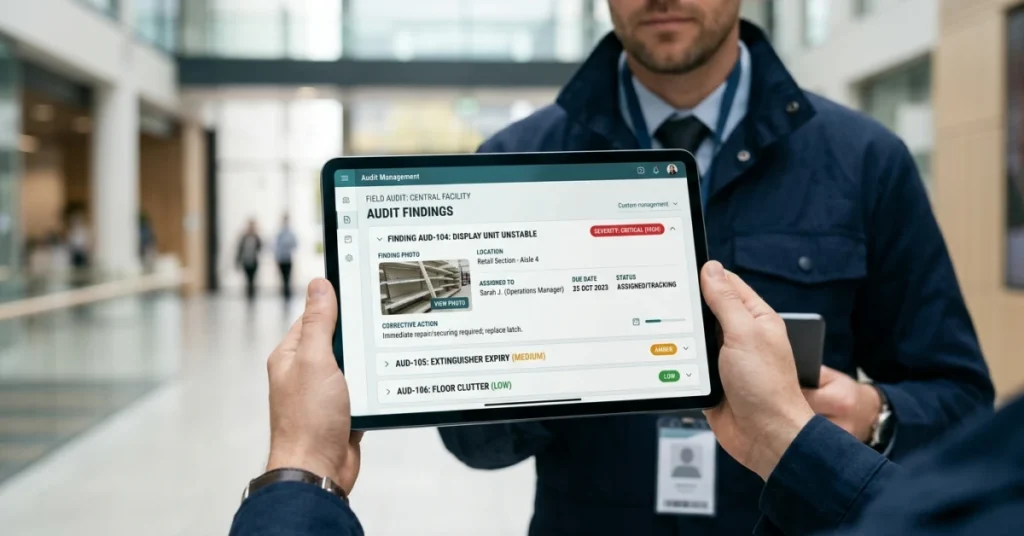
A deviation logged but never resolved is worse than one never found — it creates a paper trail of failure. Every open issue needs an owner, a deadline, and a close-out confirmation tied to that specific client.
Retailers lose roughly 8% of annual sales to poor on-shelf availability (NRF), and most of those losses trace back to corrective actions that stalled in someone’s inbox. A shared issue log — not a client-by-client spreadsheet — is what keeps your merchandising client workflow from breaking under volume.
📊 By the Numbers
Teams using real-time compliance scoring resolve field deviations up to 60% faster than those using manual photo review (Atiba).
Once your deviation tracking is centralized, the next pressure point becomes obvious: every client expects a different reporting format, cadence, and SLA — and treating them all the same is quietly destroying trust you’ve already earned.
How Do You Manage Different Client SLAs and Reporting Needs?
Track deviation long enough and the next problem shows up fast. Every client wants a different report, on a different schedule, measuring different things.
That gap doesn’t just waste time. It quietly destroys trust — even when your field team is executing well.
The real fix for how to manage multiple merchandising clients isn’t building a custom workflow per client. Build one unified operating layer instead. Use shared templates, tiered SLA logic, and centralized deviation tracking.
That layer sits beneath every account at once. A new client adds revenue, not proportional complexity.
Set Client-Specific Targets and Escalation Rules
Not every client deserves the same response time. Treating them identically is a fast way to lose your best accounts. Tier your SLAs: a national retailer paying a premium rate gets a 4-hour deviation alert; a regional account gets next-day.
Lock those rules into your system so your team never has to guess. Escalation logic should be automatic, not a judgment call made in the field.
When a store fails a standard, the right person on the right account gets notified. No one manually sorts through a shared inbox.
Use Separate Dashboards and Reports
Clients don’t want to see each other’s data. They don’t want to dig through yours to find theirs.
Each account needs its own view: their stores, their KPIs, their compliance rate. Good field task management tools make this a configuration, not a rebuild.
Automated reporting cuts the manual work that kills margins on smaller accounts. Teams that automate client reports reclaim hours every week. That time goes back into actual field coverage.
Standardize Core KPIs Across Accounts
Custom reporting per client sounds client-friendly — it’s actually a trap. Standardize your core KPIs (on-shelf availability, planogram compliance, deviation rate) across every account.
Then let clients add their own metrics on top. That structure is what makes managing multiple client accounts scalable instead of chaotic.
Retail teams that use standardized compliance frameworks resolve issues up to 30% faster than those using ad-hoc tracking methods. That stat comes straight from Relexsolutions. A shared baseline doesn’t limit your clients — it protects your capacity to serve all of them well.
📊 By the Numbers
Standardized KPI frameworks cut client reporting time by up to 40%, according to Moz research on operational efficiency benchmarks.
A merchandising operation that can’t scale reporting without adding headcount has already hit its ceiling. The unified system described here is the only way past it.
Conclusion
That unified operating layer isn’t a luxury — it’s the exact structure that lets you add clients without adding chaos. According to Fieldpie, merchandising teams that standardize field workflows across accounts cut onboarding time for new clients by up to 40%.
Knowing retail execution fundamentals matters, but structure is what makes them scale. Dotactiv confirms that teams using shared data frameworks across clients catch shelf deviations 3x faster than those managing accounts in silos.
Juggling multiple clients breaks down when every account runs on its own rules and its own reporting rhythm. FieldPie connects scheduling, deviation tracking, and photo-based reporting in one place — so your field team executes the same standard across every client without extra overhead. Start building that layer now, and every new account you sign adds revenue, not friction.